Snapchat Planets Explained 2026: Meanings & Friend Rank Guide
Snap Planets System
You opened Snapchat, tapped on a friend’s profile, and suddenly there’s a tiny glowing planet staring back at you. Mercury? Neptune? What does any of this even mean?
If you’re scratching your head, you’re not alone. Millions of Snapchat users are trying to figure out exactly what these Snapchat Planets mean, why they show up, and what their position says about a friendship. And honestly? Once you understand how the system works, it’s actually pretty clever.
This guide covers everything: the full planet order, what each planet means, how the ranking algorithm works, and tips to actually improve your position, just everything you need to know about Snapchat Planets in 2026.
What Are Snapchat Planets?
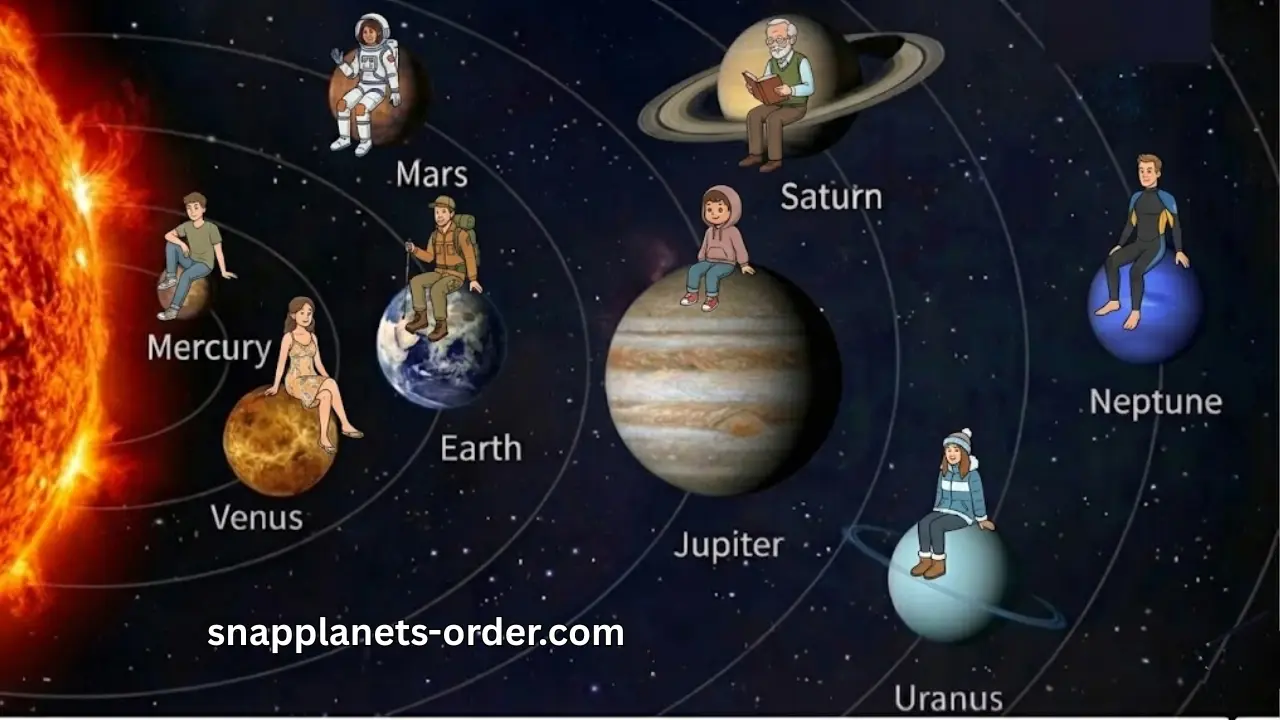
Snapchat Planets are part of a feature called the Friend Solar System, available exclusively to Snapchat+ subscribers. Think of it like a mini solar system built around your friendships. Here’s the basic idea: you are the Sun. Your closest friends become planets orbiting around you. The closer a planet is to the Sun, the more you interact with that planet.
There are eight planets total, each representing a different spot in your Top 8 Best Friends list. Mercury is your #1 friend. Neptune sits at the far edge of your #8. Every planet in between represents a different friendship tier based on how often you snap, chat, and engage with someone.
It sounds simple, but a lot of users miss the nuance. The planets don’t just reflect streaks; they measure your overall interaction pattern across snaps, chats, replies, and story reactions.
Snap Planet 🪐 Discover which planet your friend is in your solar system
Snapchat Planet Order Explained
The Snapchat Planets Order shows where each of your top eight friends stands in your personal Snapchat solar system. The closer the planet is to the Sun (you), the more you interact with that friend on Snapchat.
Snapchat calculates this order through your:
Based on these interactions, Snapchat automatically rearranges your planets so your rankings can change anytime, depending on who you talk to the most.
How to Get Snapchat Planet Order?
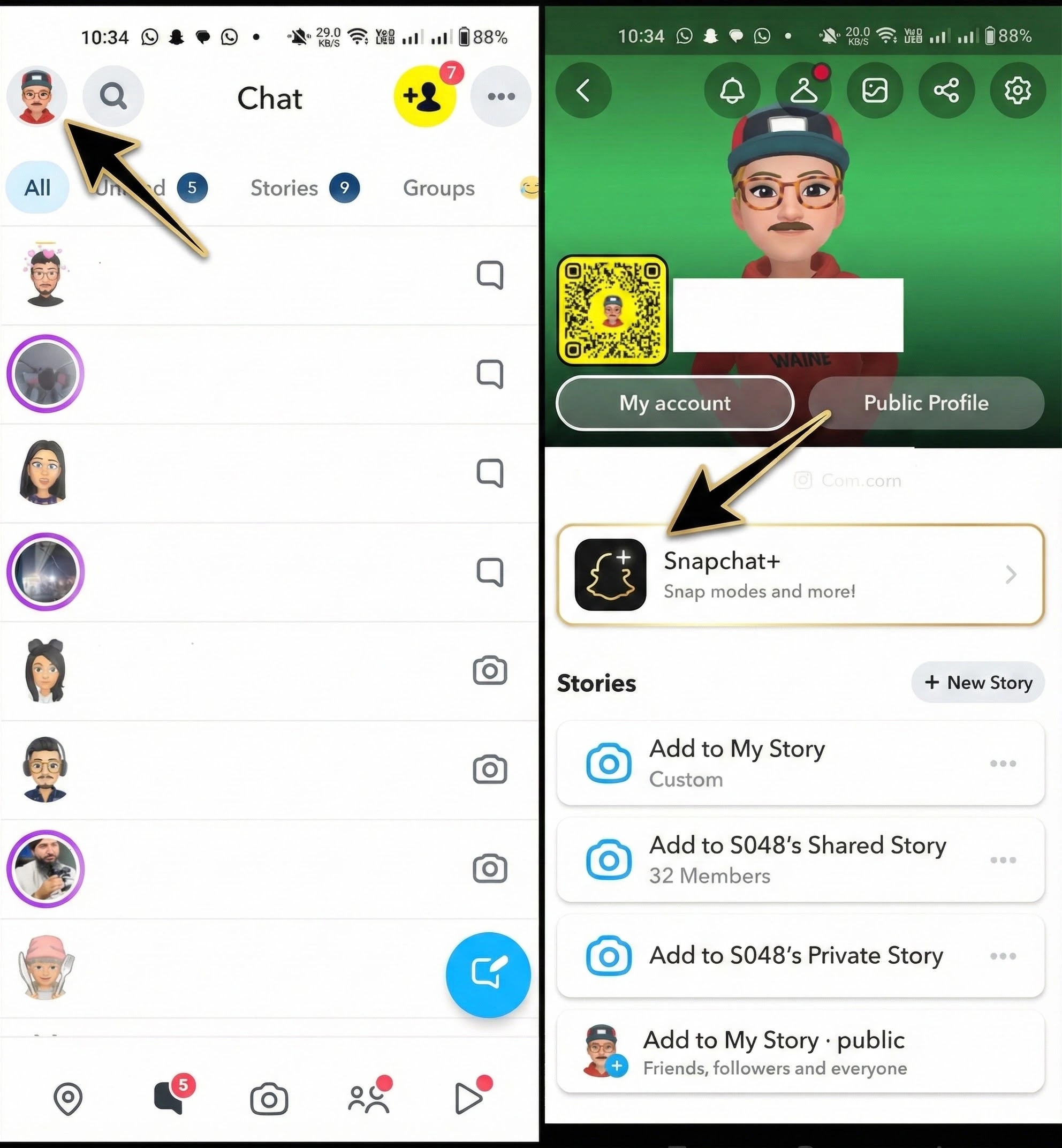
Before you can see any planets, you need Snapchat+, the paid subscription tier. Free users don’t have access to this feature at all. Once you’re subscribed, the Friend Solar System doesn’t turn on automatically for new users. You have to enable it manually. Here’s how:
- Open Snapchat and tap your Bitmoji icon in the top-left corner
- Tap the Snapchat+ banner under your profile name
- Scroll down and find Friend Solar System
- Toggle it on
After that, you’ll start seeing planet badges appear on certain friendship profiles. Tap those badges to reveal your position in someone’s solar system.
Snapchat Planet Order List
In the Snapchat Friend Solar System, your top eight friends appear as planets. Here is the complete BSF list and what each one means:
Snapchat Planets Meaning in Order (Detailed Guide)
Snapchat Planet Solar System represents your top eight friends inside the Snapchat Plus Friend Solar System. Each planet reflects how close you are to someone based on Snaps, chats, Snapstreaks, story replies, and overall engagement. The closer a planet is to the Sun (you), the stronger the connection.
Here is the complete meaning of every Snapchat Planet:
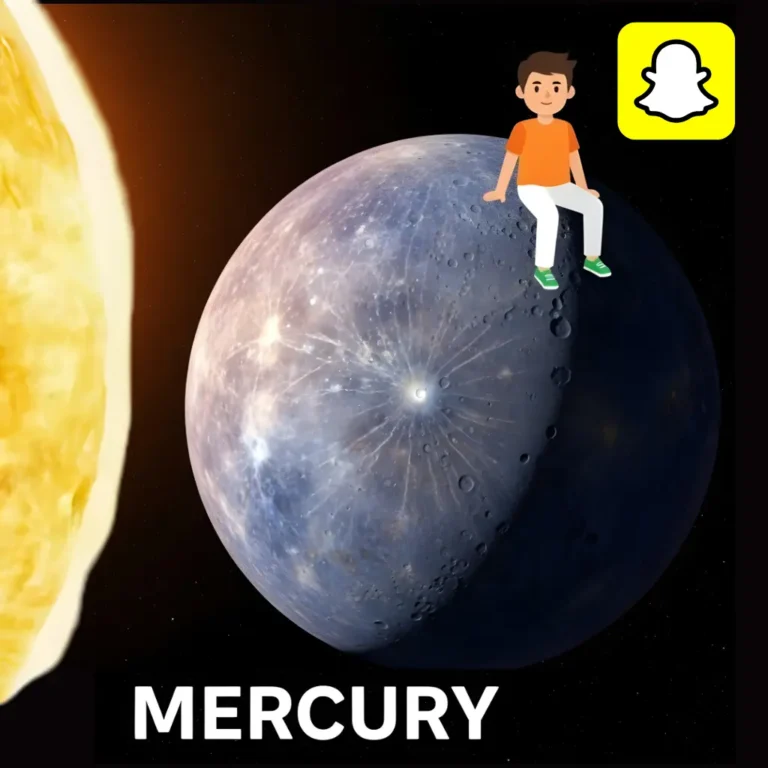
Mercury
Mercury is the closest planet to the Sun, and on Snapchat, it means this person is your absolute top friend. You snap and chat with them more than anyone else.
Visual: A bright red planet with red hearts floating around it and sparkles on the edges.
What it means: This is your ride-or-die on Snapchat. Maximum interaction, maximum engagement.
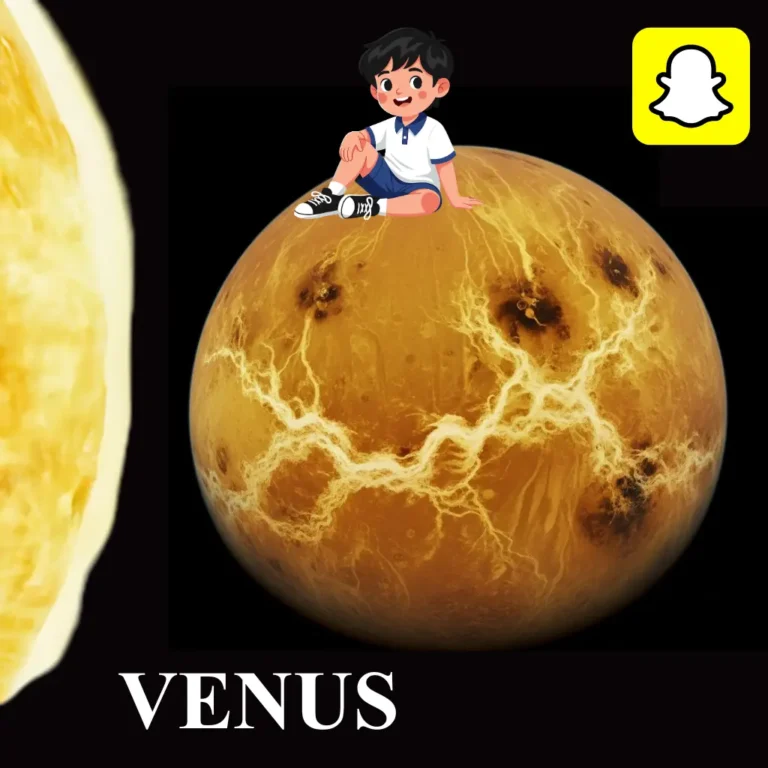
Venus
Venus represents your second closest friend. The interaction is strong, consistent, and emotionally connected.
Visual: A soft beige/pinkish planet surrounded by multi-colored hearts — blue, pink, purple, and yellow.
What it means: You talk regularly, you reply fast, and the friendship feels natural. Not quite Mercury-level, but a genuinely close bond.
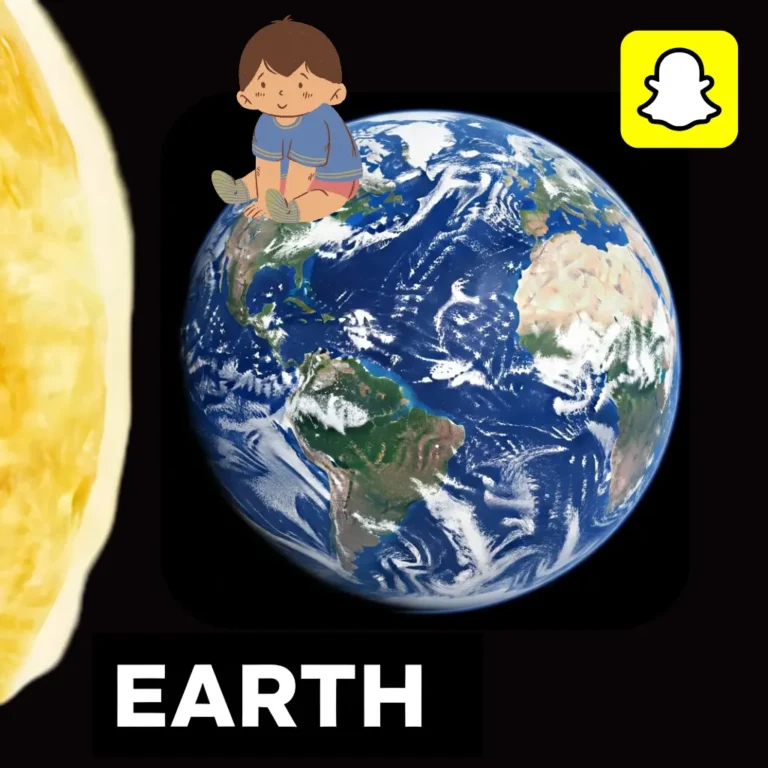
Earth
Earth is the third planet, representing a balanced and steady friendship.
Visual: A blue-green planet with tiny stars orbiting around it is very recognizable.
What it means: You and this person have a consistent back-and-forth. Not the most intense, but stable and comfortable. The kind of friendship that just works.
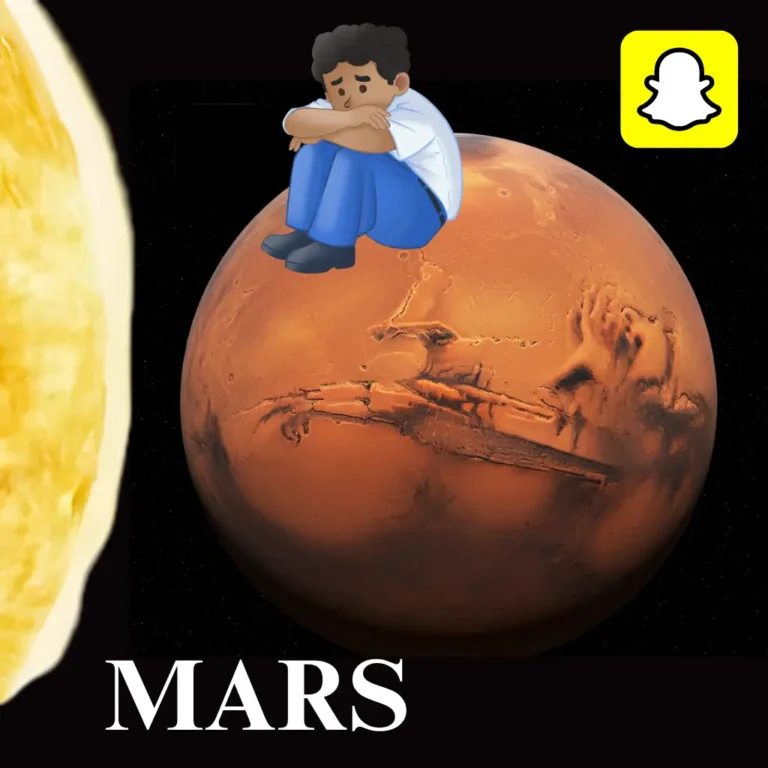
Mars
Mars represents a friendship that’s active and fun, mostly playful exchanges rather than deep conversations.
Visual: A vivid red-orange planet with little star bursts and lightning emojis around it.
What it means: You probably send memes, funny snaps, and jokes back and forth. It’s a solid connection, just more than the top three.
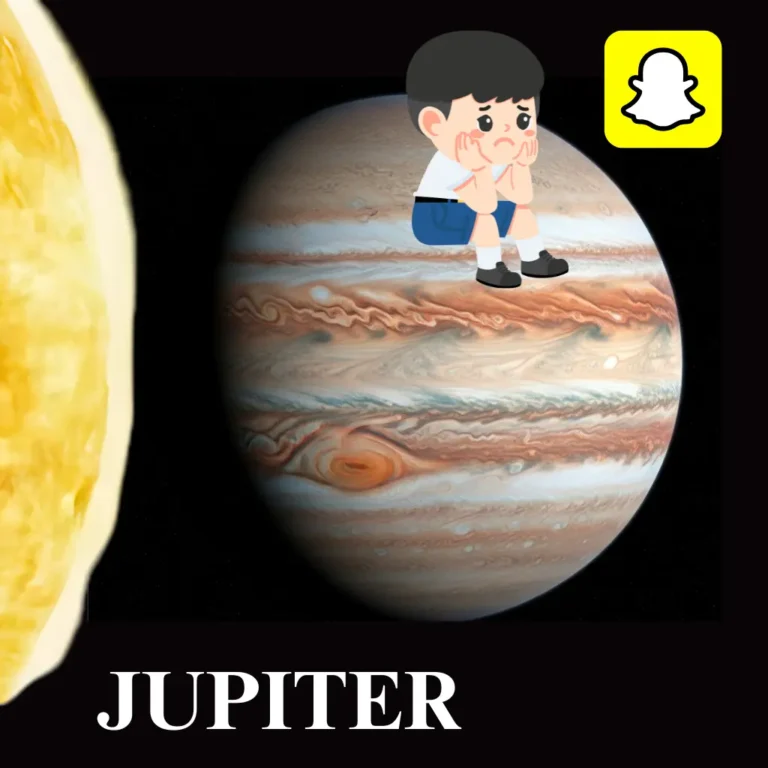
Jupiter
Jupiter is where friendships start feeling more casual. Still in your Top 5, but the interaction isn’t daily.
Visual: A large orange planet with soft beige rings slowly spinning around it.
What it means: You talk when you talk, but it’s not constant. A reliable friendship that doesn’t need to be intense to matter.
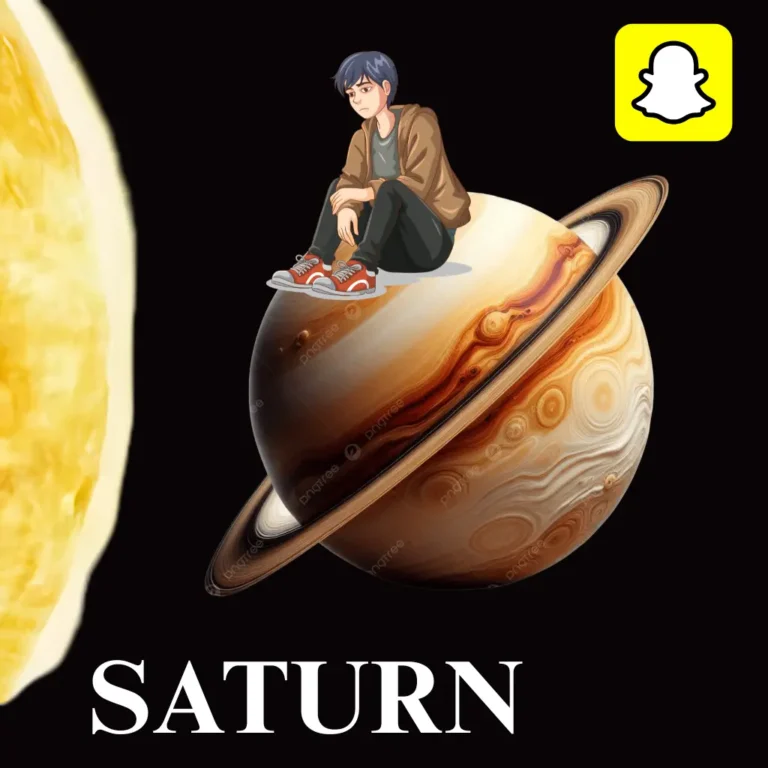
Saturn
Saturn signals that this friendship has cooled down a bit. You’re still in each other’s orbit, but the snaps and chats are less frequent.
Visual: A pale yellow planet with a thick ring system and dimmed sparkles.
What it means: This might be someone you used to snap more with, or a friend you only check in with occasionally.
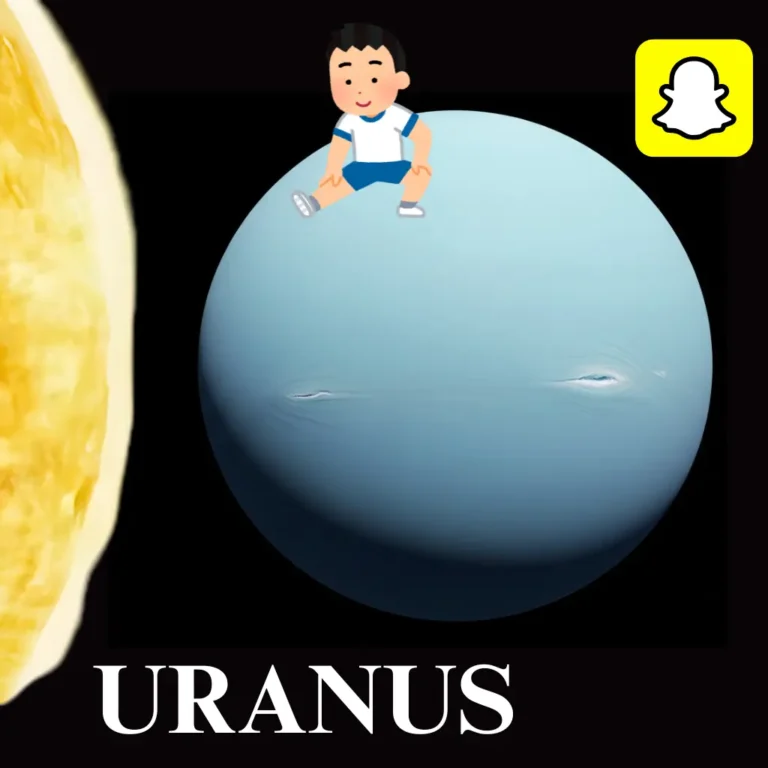
Uranus
Uranus represents a distant connection. You’re still in their Top 8, but barely.
Visual: A light blue-green planet with faint trails around it. The Bitmoji appears small and far away.
What it means: Snaps and chats happen rarely. You know each other, but the Snapchat engagement is minimal.
Neptune
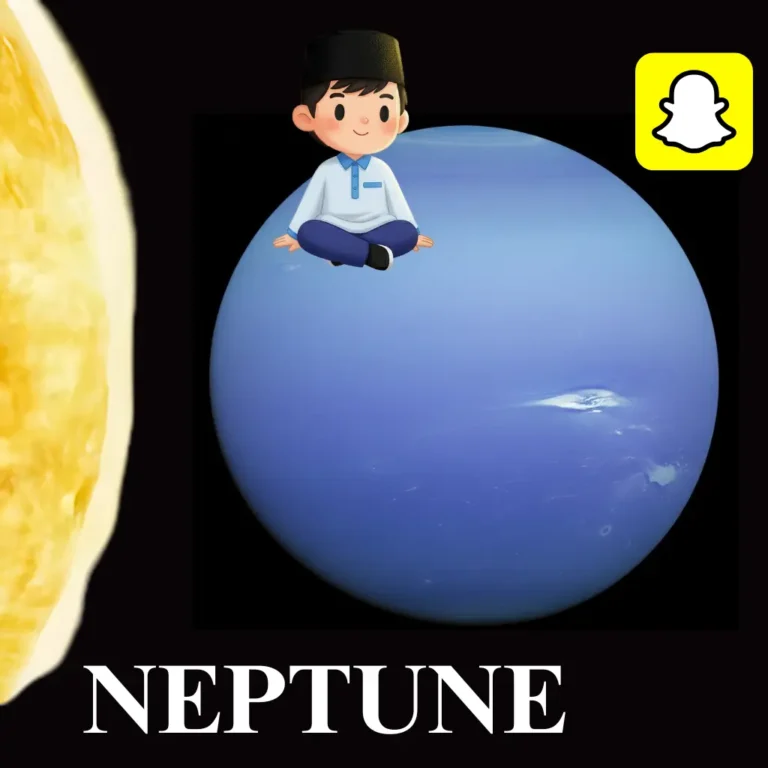
Neptune is the final planet, the most distant connection in your solar system.
Visual: A deep blue planet with subtle glows and almost no sparkles. The Bitmoji is tiny and far in the background.
What it means: They’re still in your Top 8, but just barely. This doesn’t mean the friendship isn’t real.
How Does the Snapchat Planet System Work?
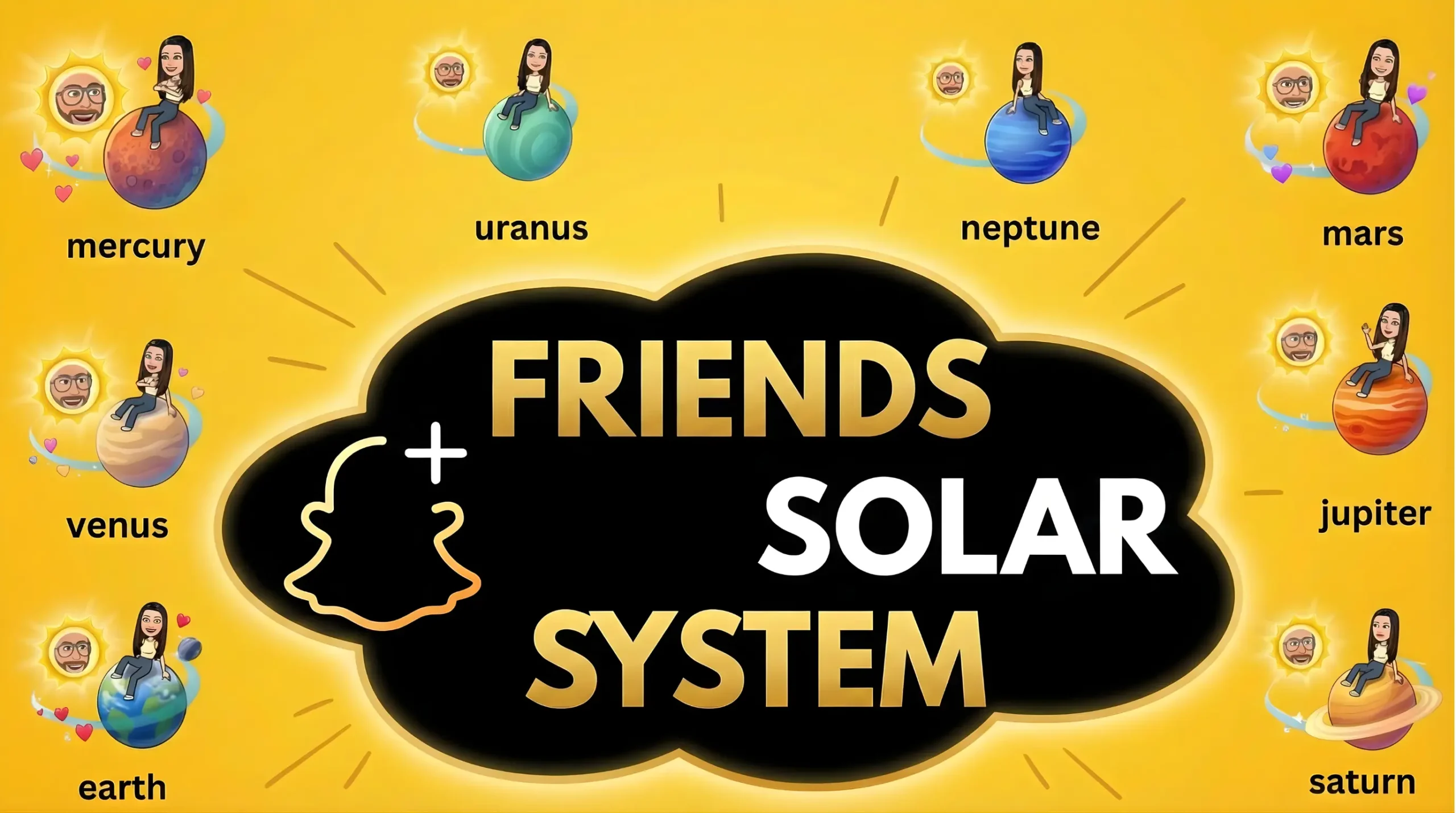
The Snapchat Friend Solar System isn’t random. It’s calculated by an algorithm that tracks your real interaction patterns across the app.
Here’s what Snapchat actually measures:
- Snaps sent and received: the most weighted signal
- Chat frequency: how often you message each other
- Reply consistency: whether you actually respond, and how fast
- Story reactions: quick reactions to stories count too
- Snap streaks: maintaining daily streaks boosts your closeness score
- Video snaps: weighted more heavily than photo snaps
The algorithm updates every few days based on your recent activity, so your planet rank keeps changing. More interaction can move you up, while less activity can drop you down. The system is private; only you can see your position, not others.
What Is Snapchat Plus?
Snapchat Plus is a premium subscription service introduced by Snap Inc. in 2022. It is designed for users who want exclusive features, deeper insights, and early access to experimental tools. While the standard Snapchat app lets you send Snaps, share Stories, and chat with friends, Snapchat Plus enhances the experience with advanced customization options, analytics, and unique social features like the Friend Solar System (Snapchat Planets).
Unlike the free version, Snapchat Plus provides upgrades that boost personalization, improve engagement, and offer more control over your Snapchat profile. Subscribers pay a small monthly or yearly fee to unlock features that are not available to regular users. Snapchat Plus is accessible on both Android and iOS across 25+ countries, including the U.S., U.K., Canada, Australia, and India.
Key Features of Snapchat Plus
Custom Icons & Themes
Customize your Snapchat with premium icons, wallpapers, and design options.
Pin Your #1 Best Friend
Use the BFF Pin to permanently keep your closest friend at the top of your chat list.
Story Rewatch Indicator
See how many times someone has rewatched your Story — a unique analytics feature only for Plus subscribers.
Friend Solar System
Visualize your friendship levels as planets orbiting around you, making social interactions more fun and meaningful.
Snapstreak Tools
Restore lost Snapstreaks or set reminders to help maintain streaks with your best friends.
Bitmoji & Notification
Access premium Bitmoji styles and assign custom notification tones for specific friends.
Ghost Trails on Snap Map
View a friend’s 24-hour location activity with their permission using extended Snap Map insights.
Access to New Features
Snapchat Plus members get priority access to new or experimental features before the general public.
How to Subscribe to Snapchat Plus
Getting Snapchat+ takes about two minutes. The steps are almost identical on iPhone and Android. Once activated, you unlock premium features and early access to new tools released by Snap Inc.
Here is how to upgrade to Snapchat Plus on any device:
- Launch Snapchat on your iPhone or Android device.
- Tap your Bitmoji in the top-left corner.
- Scroll down until you see Snapchat+ and tap it to view subscription options.
- Snapchat offers two monthly and annual plans
- If eligible, you can start a 7-day free trial to test all premium features before paying.
- Add or confirm your payment method, then tap Subscribe.
- Once activated, restart the app to load all Snapchat Plus features, including the Friend Solar System.
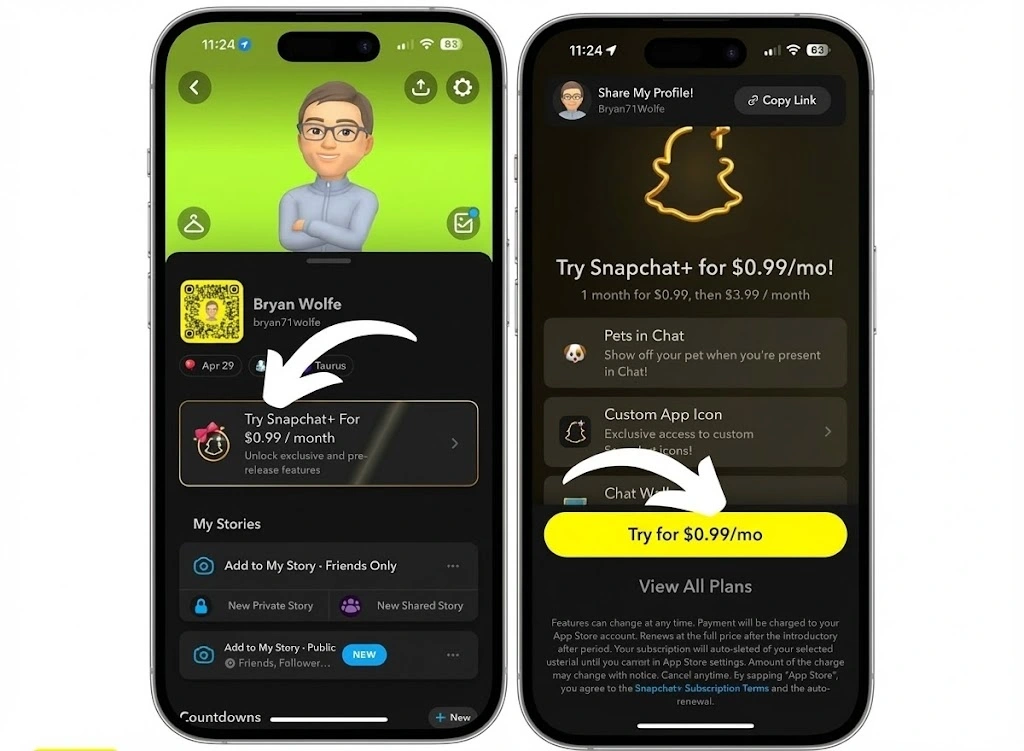
Your subscription activates instantly after payment. You can start using the Friend Solar System right away — just make sure to toggle it on in the Snapchat+ feature management section.
Snapchat Plus Pricing
Snapchat+ pricing varies depending on your country, region, and platform. All payments are handled securely through the Apple App Store or Google Play Store, making subscribing or canceling simple and hassle-free.
Official Snapchat Plus Prices (2026)
According to Snapchat’s latest pricing:
- Monthly plan: Around $3.99/month
- Annual plan: Usually 20–30% cheaper than paying monthly
- Regional pricing: Prices may differ based on currency, local taxes, and Apple/Google Play policies
Prices may vary slightly based on your country, taxes, and app-store currency.
International Pricing Details
| Country | Monthly | 6-Month | Annual |
|---|---|---|---|
| 🇺🇸 United States | $3.99 | $21.99 | $39.99 |
| 🇬🇧 United Kingdom | £3.99 | £21.99 | £39.99 |
| 🇮🇳 India | ₹49 (Promo) | — | — |
Snapchat sometimes offers a 7-day free trial, giving you full access to all premium features before committing. If you don’t want to continue, just cancel before the trial ends to avoid charges. All Snapchat Plus subscriptions renew automatically unless canceled.
How to Check Your Snapchat Planet on Someone Solar System
Checking your Snapchat Planet in someone else’s Friend Solar System is simple, but it only works if you are a Snapchat Plus subscriber. Once you have the subscription, Snapchat shows your exact planet ranking inside a friend’s universe based on how close you are.
Here is a guide on how you can see best friends list:
- Open Snapchat and go to the friend whose ranking you want to see.
- Tap their Bitmoji or open their profile from chat.
- Look for the gold “Best Friends” badge or the “Friends” badge next to their name.
- Press and hold the badge, and Snapchat will reveal which planet you are in their Friend Solar System.
- You will see your Bitmoji sitting on a planet, along with its color, hearts, stars, and orbit distance.
- Repeat this with other friends to map out your full Snapchat planets order.
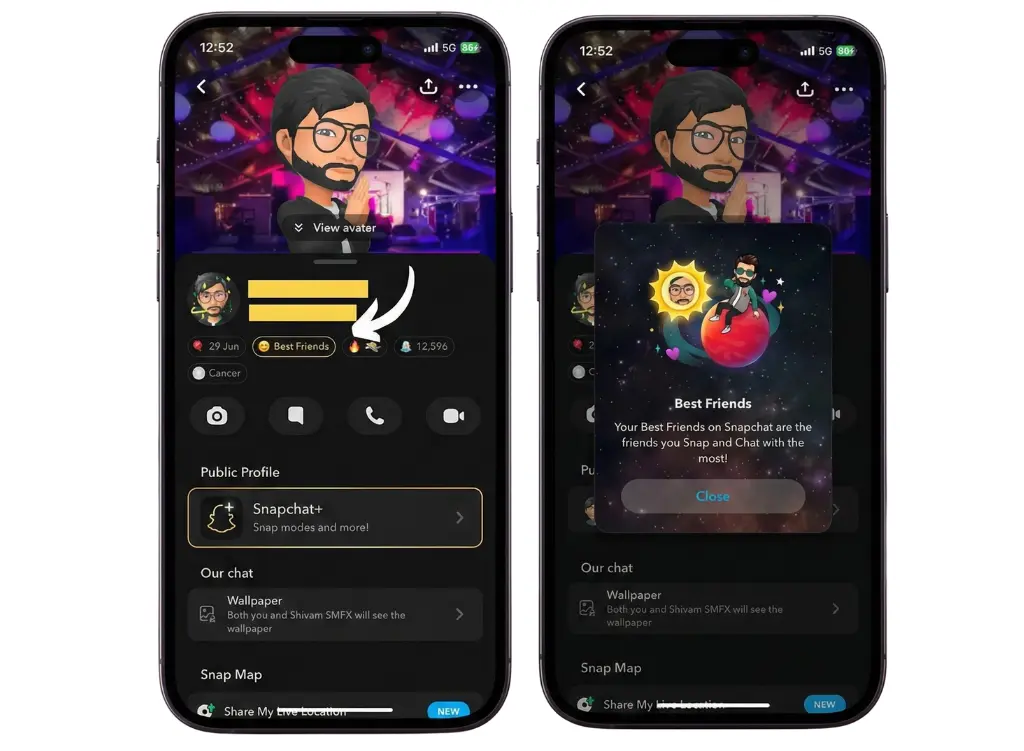
Because Snapchat constantly updates your ranking based on interaction signals (Snaps, chats, streaks, story replies), your planet position can change anytime, so you may want to check often.
What’s the difference between Best Friends and Friends badges?
- Best Friends badge (gold ring): You’re both in each other’s Top 8. The connection is mutual.
- Friends badge: You’re in their Top 8, but they’re not in yours — or the feature isn’t enabled on their end.
This is an important distinction. You could be someone’s Venus, while they’re your Jupiter. The rankings are calculated separately for each person, based on individual interaction data.
Is Snapchat Good for Younger Users?
Snapchat has a minimum age requirement of 13, and the planet system is designed to be light and fun rather than competitive. That said, parents and guardians have raised fair concerns about how friendship ranking features can affect younger users.
Here’s what Snapchat has done to address this:
- The Friend Solar System is off by default for new subscribers. Users must actively choose to turn it on
- Planet rankings are completely private; no one else can see your position
- The algorithm only tracks interaction frequency, not private message content or photos
- Snapchat made the feature optional after receiving feedback that it was causing comparison anxiety among some teens
Any feature that ranks friendships can create social pressure, especially for younger users. Parents should talk with kids about what these rankings really mean.
Your position, like being someone’s Neptune, doesn’t reflect your real-life importance. It’s just a fun feature to show app activity, don’t let it define your self-worth.
Best Friends Badge vs Friends Badge
Two different badges, two very different meanings. Understanding this clears up a lot of confusion around the planet system.
Best Friends Badge
This golden-ringed badge appears when you are both in each other’s Top 8. It’s a mutual ranking — both of you interact frequently enough to land in each other’s solar systems. Tapping this badge reveals your planet in their universe.
Friends Badge
The regular Friends badge means you’re in their Top 8, but they’re not in yours — or the feature isn’t enabled on their end. This often happens when one person interacts more frequently than the other. The planet still shows, but the connection isn’t mutual.
How to Enable Snapchat Plus
The Snapchat Solar System (also called the Friend Solar System) is an exclusive Snapchat Plus feature. It stays disabled by default, so you must turn it on manually after subscribing. Once enabled, you will see your top friends displayed as planets orbiting around you, the Sun, based on your interaction levels.
Step-by-Step Guide:
- Launch Snapchat on your iPhone or Android device.
- Tap your Bitmoji/avatar in the top-left corner.
- Tap the Snapchat+ banner at the top of your profile. (If you do not see it, scroll down in Settings and select Snapchat+.)
- Scroll through the list of Snapchat+ features until you find Friend Solar System or Solar System.
- Turn the toggle ON. A confirmation pop-up will appear, and tap OK to activate it.
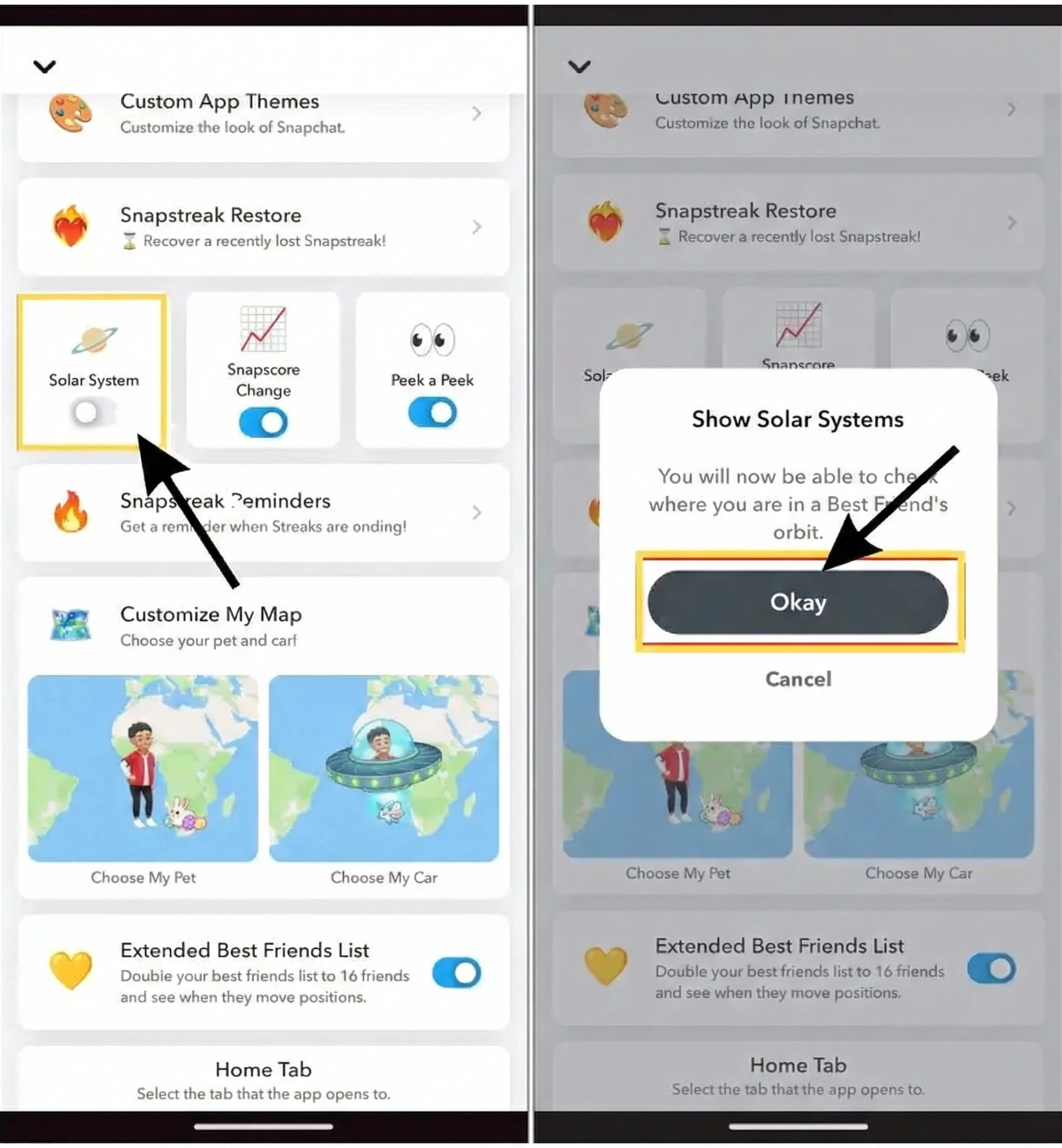
Once enabled, you will be able to see your friends represented as planets whenever you tap their Best Friends or Friends badge inside Snapchat Plus.
How to Disable Snapchat Solar System
If you no longer want to see your friends as planets in your Snapchat universe, or you simply prefer more privacy, you can easily turn off the Snapchat Solar System feature. Since this feature is part of Snapchat Plus, you can enable or disable it anytime from your settings.
Step-by-Step: Disable Friend Solar System
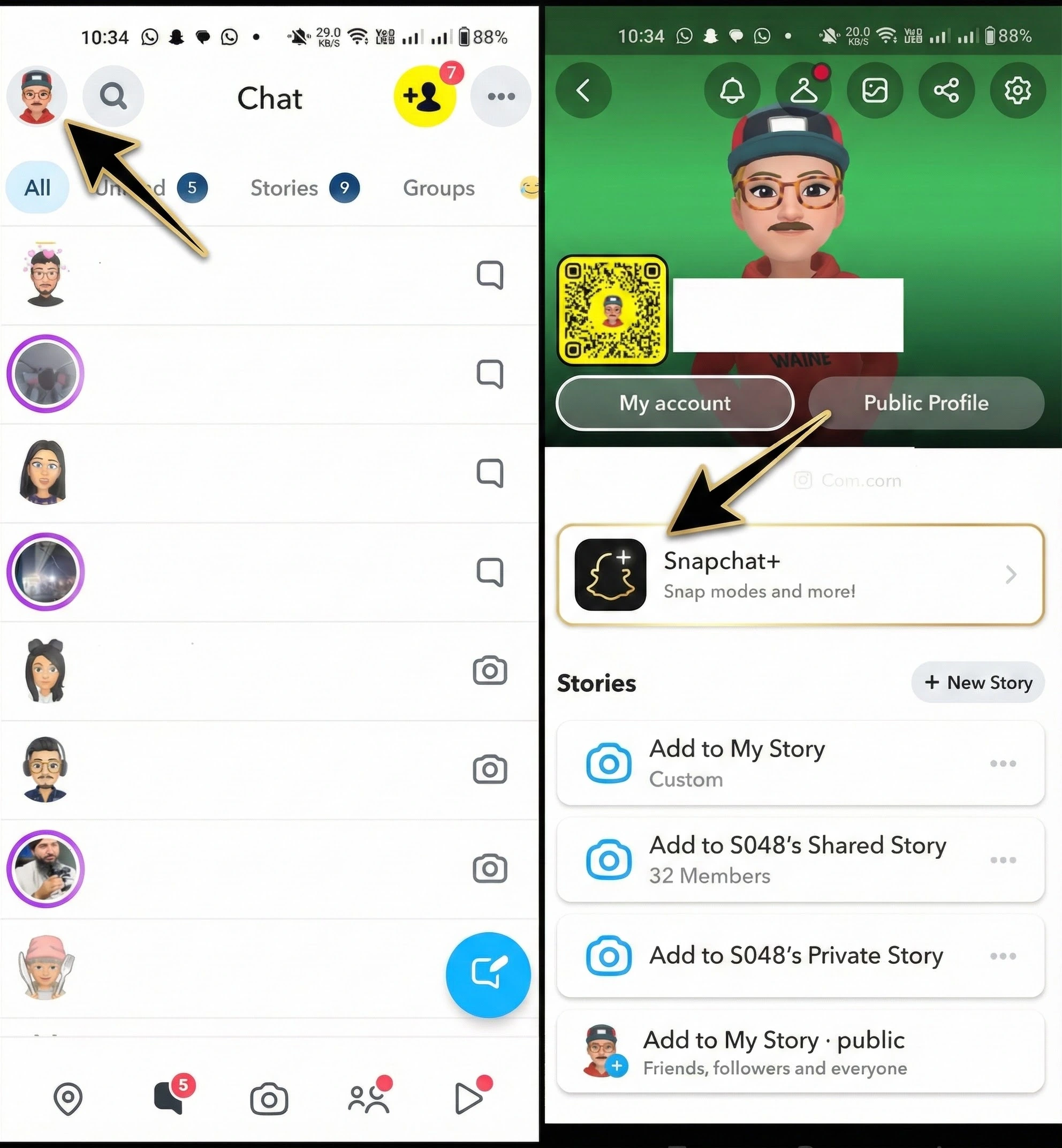
- Launch Snapchat on your iPhone or Android device.
- Tap your Bitmoji avatar in the top-left corner of the screen.
- Tap the Snapchat+ banner at the top of your profile. (If it does not appear, go to Settings → Snapchat+.)
- Scroll through the list of Snapchat+ features until you find Friend Solar System or Solar System.
- Toggle the switch to the OFF position. A confirmation pop-up will appear. Tap Okay to disable it.
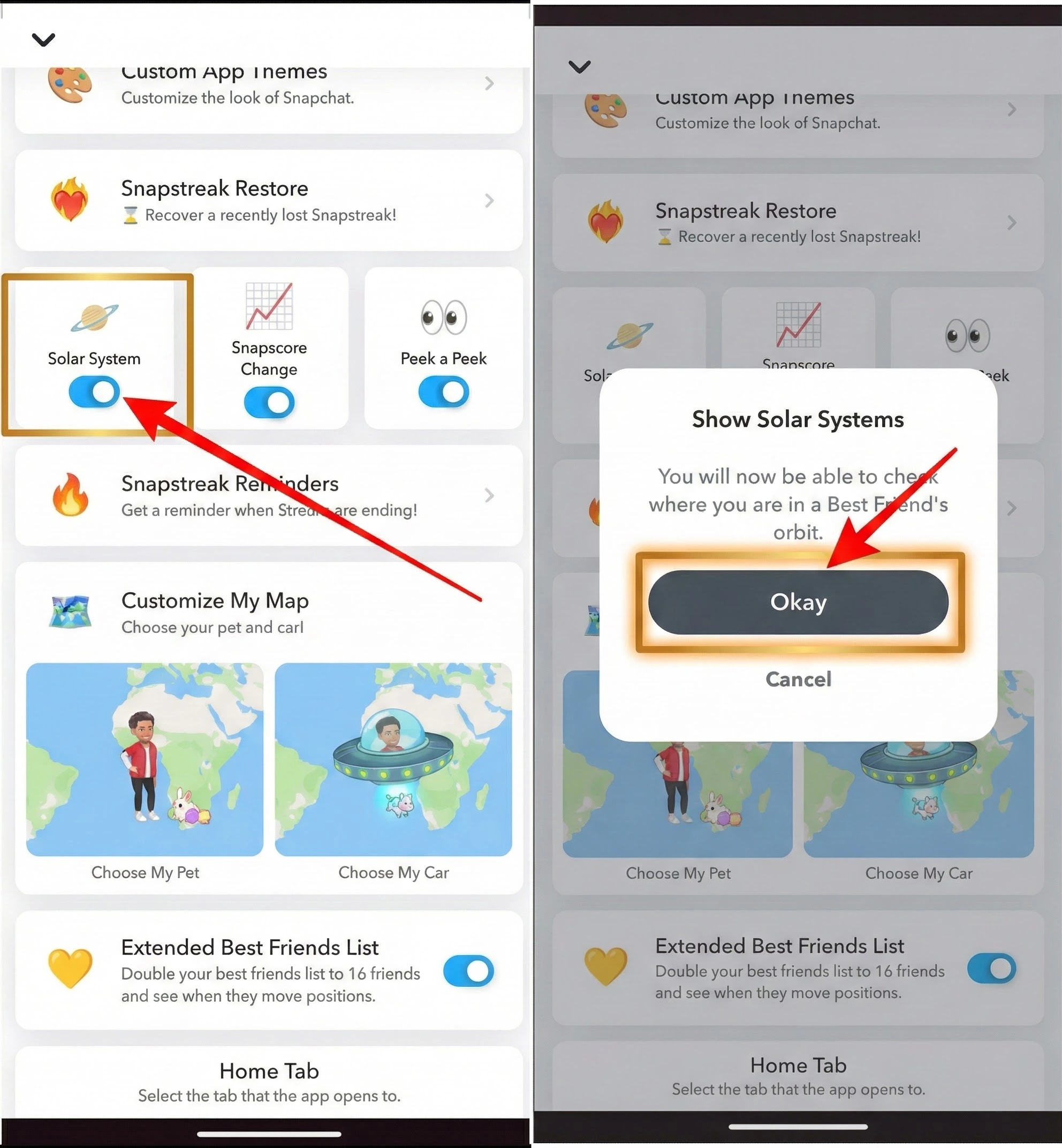
Once turned off, you will no longer see planets on your friends’ profiles, and they will not see any planet ranking for you either.
Why Some Users Disable the Solar System
Many Snapchat Plus users choose to turn off this feature because:
- It creates unnecessary social pressure
- They dislike ranking-based friendships
- They want more privacy
- They simply don’t use the feature
Disabling the Solar System does not affect your Snapchat Plus subscription or any other premium features.
How to Improve Your Snapchat Planets Ranking
Here’s the thing: your planet’s position isn’t fixed. The algorithm updates based on recent activity, so if you want to move closer to the Sun in someone’s solar system, these habits actually work:
- Send snaps every day: Daily snaps are the strongest signal. Even a quick 1-second snap keeps your interaction score active and growing.
- Keep your streaks alive: A long Snapstreak tells the algorithm that your friendship is consistent. Breaking streaks can slow down your planet rank recovery.
- Message more often: Regular chats, even short ones, build up your interaction count. You don’t need to write essays; just stay in the conversation.
- React to stories: A quick emoji reaction to someone’s story counts as an interaction. It takes two seconds and genuinely contributes to your ranking.
- Send video snaps instead of photos: Video snaps carry more weight in the algorithm than static photos. Sending short, personal videos moves rankings faster.
- Reply quickly: Response speed is a signal. When you reply fast, Snapchat interprets it as a strong, active friendship. If you consistently leave someone on read, your score with them gradually drops.
- Skip the group snaps: Group snaps don’t count strongly toward individual rankings. One-on-one snaps and chats matter far more for planet movement.
Consistency beats intensity. Snapping someone a little every day will always outperform sending 50 snaps in one day and then going quiet for a week.
Why Was the Snapchat Planet Order Created?
Snapchat created the Friend Solar System to boost engagement and grow subscriptions. By turning friendships into a visual, gamified system, it encourages users to interact more and open the app frequently, while also promoting Snapchat+.
The idea works because people naturally care about their social standing, and seeing their position creates motivation to stay active. It also helps Snapchat compete with features like Close Friends and BeReal, but with a more visual and dynamic approach.
The 2026 update enhanced the feature with better animations, improved Bitmoji reactions, and introduced Galaxy Badges to reward consistent interactions.
Pros and Cons of Snapchat Plus Planets
|
Pros
|
Cons
|
|---|---|
|
Seeing friends as planets encourages more Snaps, chats, and interactions. |
Free users cannot access or view Snapchat Planets. |
|
The planetary system gives a clear, gamified view of how close you are to someone. |
The same people feel stressed or disappointed by their ranking, especially younger users. |
|
The Friend Solar System is one of Snapchat Plus’ most entertaining and creative features. |
Not everyone likes the idea of having friendship interactions quantified or visually ranked. |
|
Users often interact more to improve their planet ranking. |
Some users prefer less comparison-focused features and may find the ranking unnecessary. |
FAQs About Snapchat Planets
Final Thoughts
Snapchat Planets is a creative Snapchat Plus feature that turns your closest friends into planets inside a digital solar system, visually representing how often you interact with each other. Each planet from Mercury to Neptune reflects a different level of closeness, making your friendships feel more interactive, fun, and personalized.
However, these planet rankings are not a true measure of real relationships. Your position can change anytime based on activity, so it is best to view the feature as a playful snapshot rather than a reflection of your actual social value. Enjoy Snapchat Planets for entertainment and connection, but remember that meaningful friendships grow through genuine communication both online and in real life.