Snapchat Planets In Order – How Friend Solar System and Snapchat+ Features Work
Snapchat Planets In Order
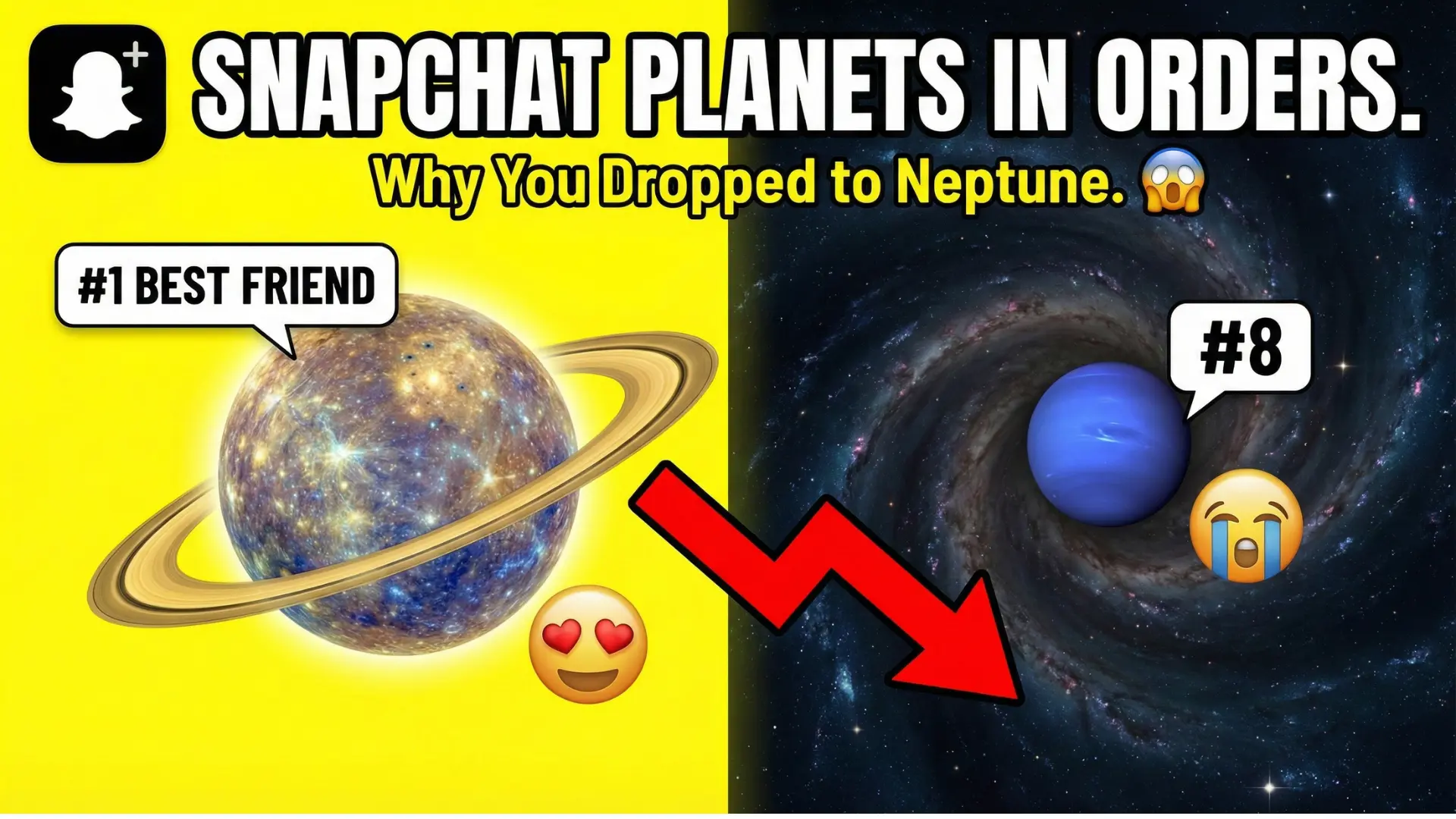
Snapchat Planets In Order explains how Snapchat’s Friend Solar System visually ranks your top eight friends using planets from Mercury to Neptune. This feature, available only with Snapchat+, shows how close each friendship is based on consistent, two-way interaction rather than popularity or streaks alone.
By tapping the Best Friends badge on a profile, you can see your planet position and understand why it changes over time. This guide promises a clear breakdown of planet meanings, ranking logic, Snapchat+ features like BFF pinning and Extended Best Friends List, and simple tips to avoid confusion and misinterpretation.
What Is the Snapchat Friend Solar System?
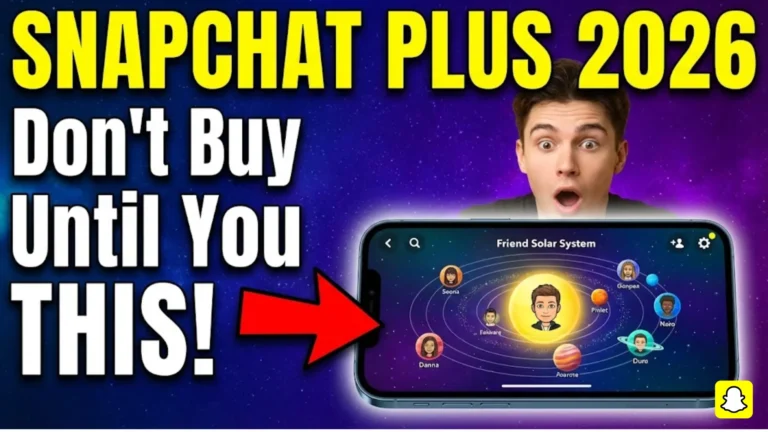
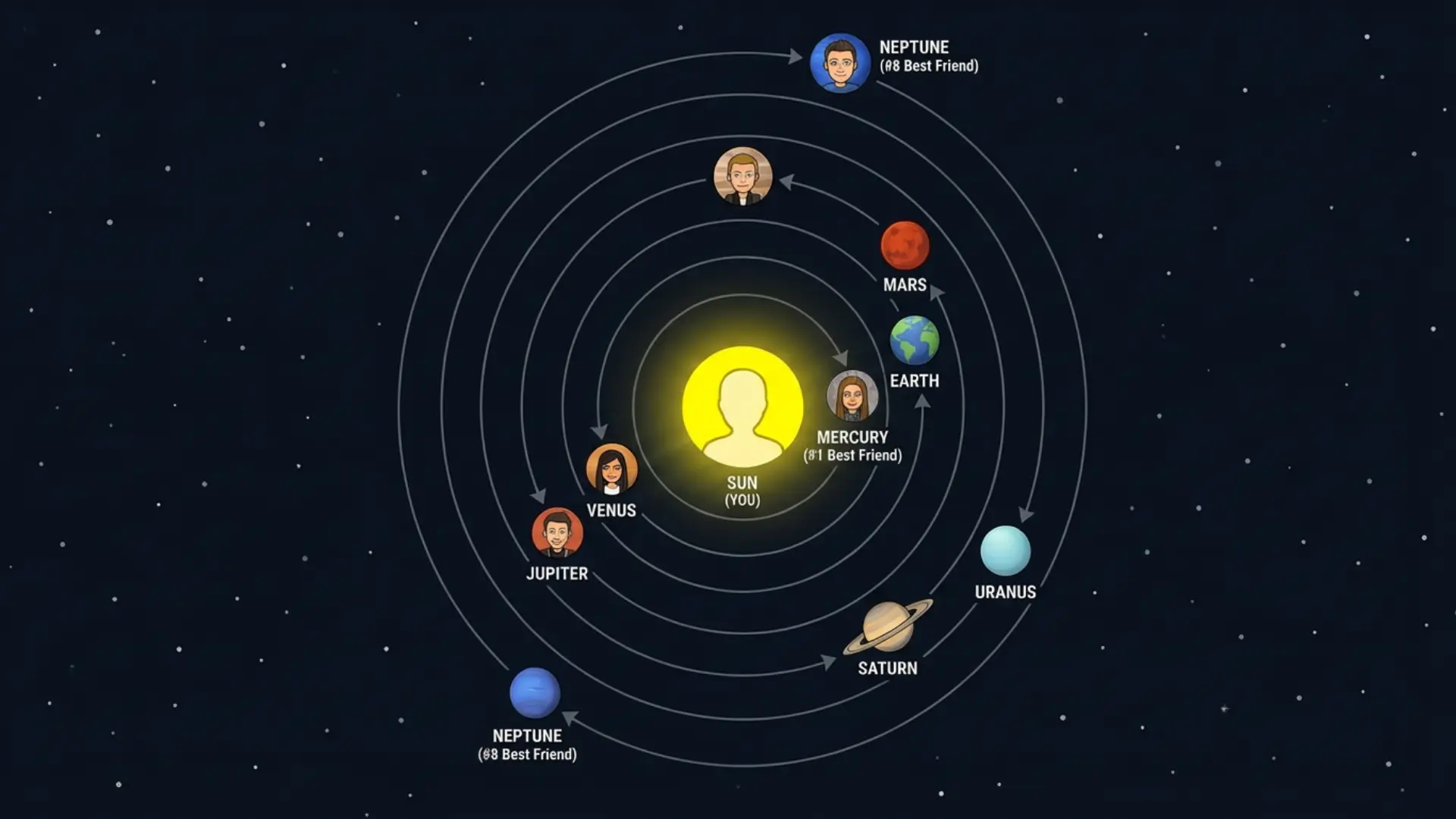
The Snapchat Friend Solar System is a Solar System feature that visually represents your Best Friends list.
Snapchat Planets In Order
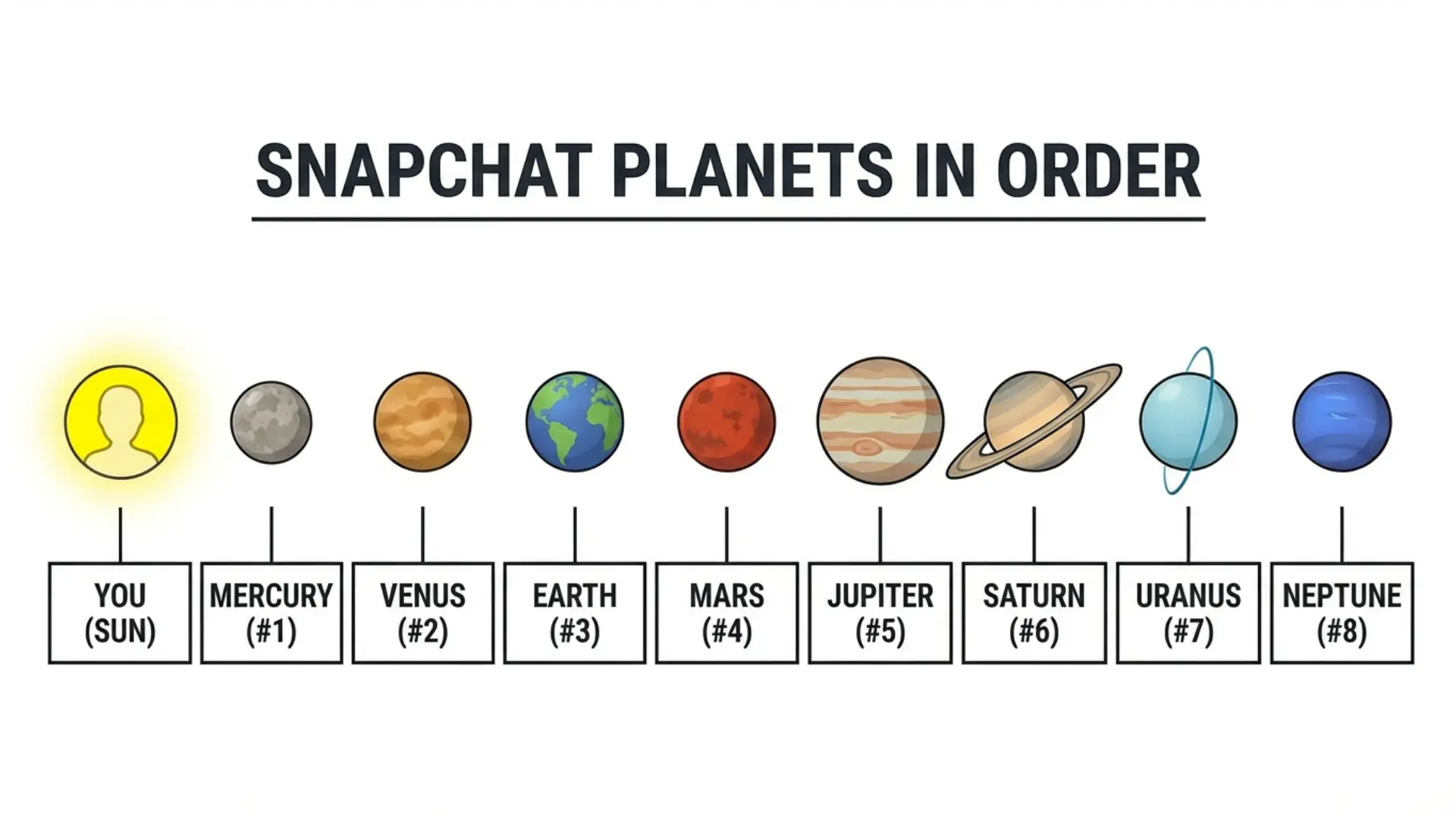
- You are the Sun
- Your top 8 friends orbit around you as planets
- The closer the planet, the stronger the Best Friends ranking
Snapchat uses this system to replace plain numbers with visuals, making friendship rankings feel more natural and less competitive.
Why Snapchat Planets Confuse So Many Users
When people first notice planets next to a friend’s profile on Snapchat, it often raises questions. Why did a planet change? What does Mercury or Neptune mean? And why can’t everyone see it?
The confusion happens because Snapchat never clearly explains the logic inside the app. This article breaks things down in a simple way so you understand:
- What Snapchat Planets really represent
- The exact Snapchat Planets In Order
- Why do planets change over time
- How Snapchat+ features affect what you see
Snapchat+ Requirement and Feature Access
Snapchat Planets only appear if you have an active Snapchat+ subscription.
Important things to know:
- The feature is off by default for first-time subscribers
- You must enable it from the feature management page inside Snapchat+ Settings
- You can toggle the feature on/off anytime
- If planets don’t appear, a quick restart of the Snapchat app often fixes subscription sync issues
Without Snapchat+, the planet system stays hidden even if you already have Best Friends.
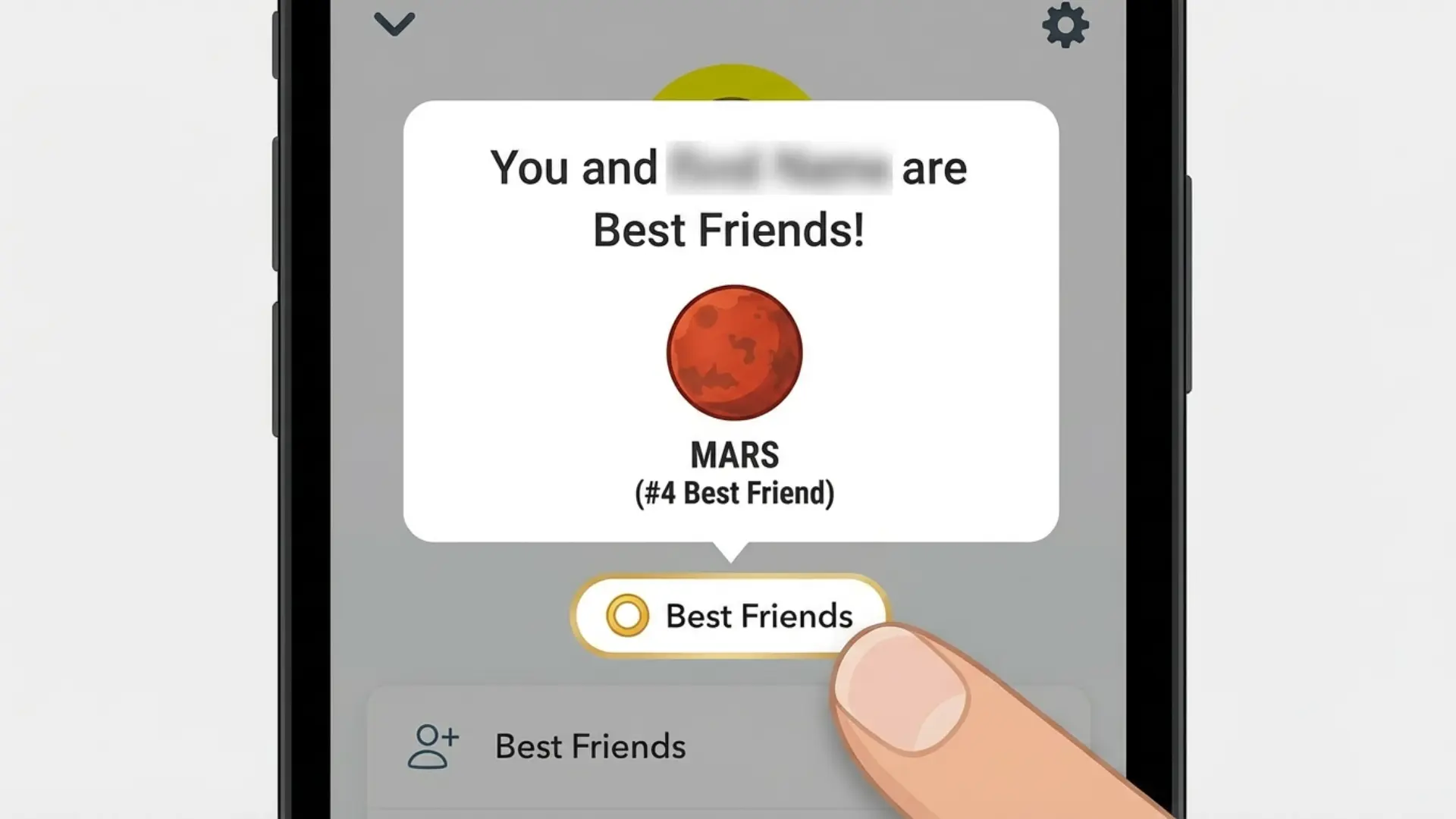
Where to Find Snapchat Planets on a Friendship Profile
To see planets:
- Open a friend’s Friendship Profile
- Look for the Best Friends badge (gold ring)
- Tap the badge to reveal the planet
A key detail many users miss:
- This is a private ranking system
- You only see their ranking of them
- They cannot see how you rank them
If you see a Friends badge instead, that person is not in your top eight.
Snapchat Planets In Order and What Each Planet Means
Snapchat Planets In Order always follow the same sequence. The order never changes, but the people assigned to each planet can.
Planet Order Explained
Each planet reflects rank, meaning, and behavior, not emotional value.
How Snapchat Decides Planet Positions
Interaction Patterns That Matter Most
Snapchat analyzes relative interaction, not popularity. The system looks at:
- Two-way messaging
- Snap replies
- Messaging frequency
- Voice calls and video calls
- Mutual engagement, not one-sided interaction
Sending many snaps without replies rarely improves ranking.
Recency vs Consistency and Ranking Changes
Snapchat uses periodic recalculation, not real-time updates. This explains the ranking fluctuation because:
- A planet shows your position relative to other friends
- Even if your behavior stays the same, others becoming more active can affect your rank
This is the most common reason behind sudden planet changes.
Snapchat Planets vs Best Friends List
This comparison clears up major confusion:
- Best Friends list → decides who qualifies
- Snapchat Planets → visually represents that ranking.
In short, it is Best Friends vs Planets, not one replacing the other.
Related Snapchat+ Friendship Features You Should Know
#1 Best Friend (BFF) and Pin Feature
Snapchat+ lets you Pin #1 Best Friend privately.
- Only one friend can be pinned
- Only you can see it
- It does not override planet rankings
Friend Emojis vs Snapchat Planets
- Friend Emojis change based on interaction style
- Snapchat Planets shows the ranking position
They work together but serve different purposes.
Extended Best Friends List
The Extended Best Friends List shows:
- Your current 8 Best Friends
- Upcoming Best Friends
- Ranking movement (up/down)
This feature helps explain why planets shift over time.
Managing Snapchat+ Subscriptions and Family Plans
Snapchat+ offers a Friends & Family Plan:
- One account holder manages the subscription
- Up to two additional members can be added
- Features may roll out slowly for new members
Delayed access doesn’t mean something is broken; it is often just rollout timing.
Gifting Snapchat+ and Its Effect on Features
Snapchat+ can be gifted in two ways:
- Directly through the app
- Via third-party gift cards (redeemed on the web)
After redeeming, features like Snapchat Planets In Order should appear once the app syncs properly.
Common Reasons Snapchat Planets Do not Appear
If planets are not showing, it is usually due to:
- No active Snapchat+ subscription
- Friend not in your top 8 Best Friends
- Outdated app version
- Temporary sync issues
Clearing the cache or reinstalling the app often resolves stubborn problems.
Tips to Better Understand Snapchat Planets
- Focus on genuine conversations, not rankings
- Expect planets to change as habits shift
- Avoid reading emotional meaning into short-term drops
- Remember: Planets reflect activity patterns, not personal value
FAQs About Snapchat Planets
Final Summary
Snapchat Planets In Order visually ranks your top eight friends using the Snapchat Friend Solar System. Mercury is always closest and Neptune farthest, but rankings change due to relative interaction, mutual engagement, and periodic recalculation.
The system is private, exclusive to Snapchat+, and designed to reflect activity patterns, not personal importance. Once you understand the logic, the feature becomes clear, predictable, and much less confusing.