Does Snapchat Plus Remove Ads? Complete Guide to Snapchat+ Monthly Plan
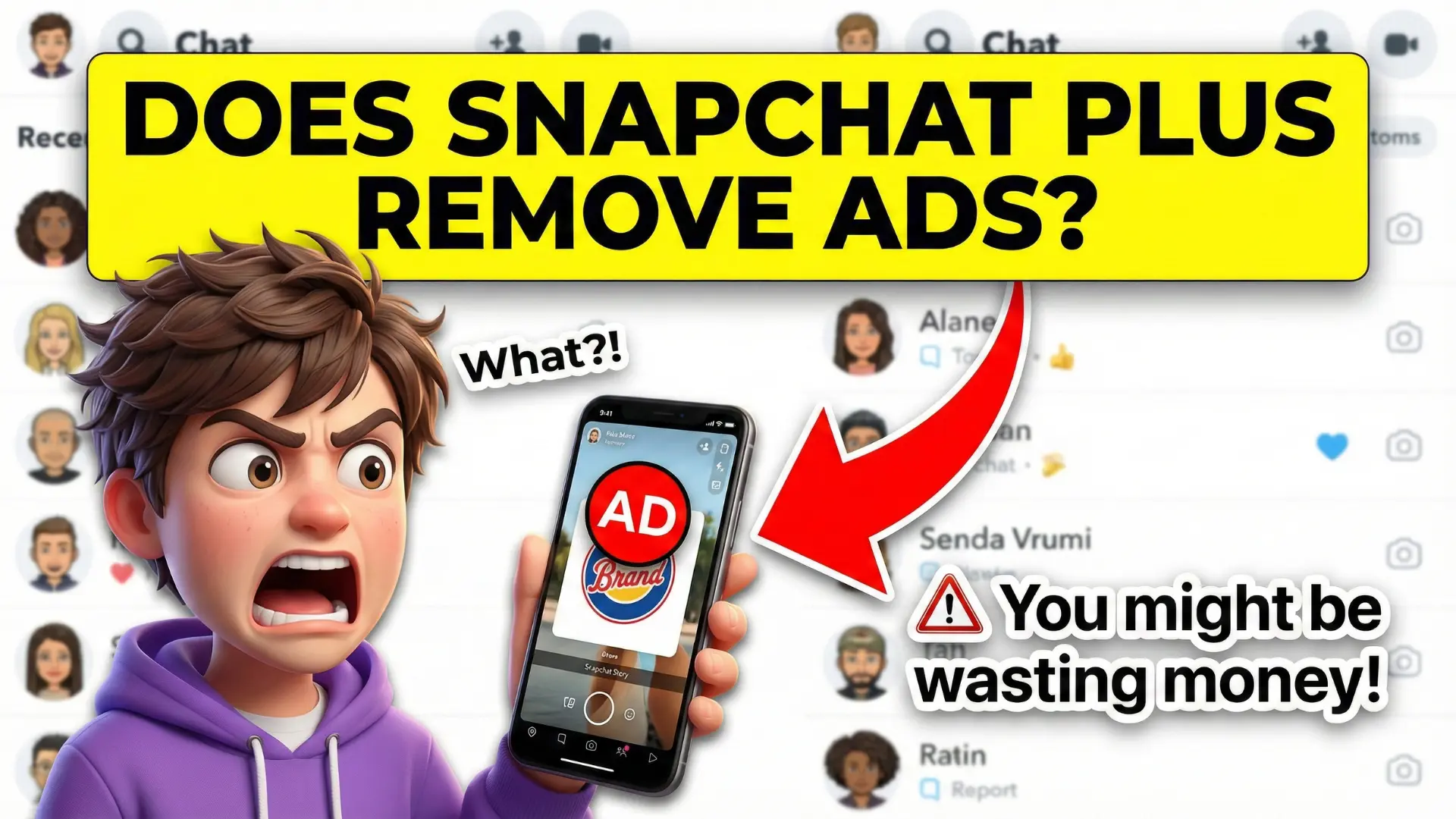
Does Snapchat Plus Remove Ads? Yes, but only if you choose the right plan. The Snapchat+ Platinum Monthly Plan removes Sponsored Snaps along with ads in Stories and Lenses, giving users a much cleaner viewing experience. However, the standard Snapchat+ subscription does not fully remove ads, and some promotions may still appear in sponsored places and within My AI.
Beyond ad reduction, the Platinum plan includes 40+ premium features, GenAI-powered Lenses, and up to 5TB of Memories storage. This guide explains exactly which ads are removed, which remain, and whether Snapchat+ Platinum is worth it for U.S. users.
Snapchat+ and How It Works
Snapchat is free to use, but it’s heavily supported by ads. Snapchat+ is the platform’s paid subscription that adds premium tools, early-access features, and customization options. However, not all Snapchat+ plans offer the same ad experience.
Snapchat Currently Offers:
- Standard Snapchat+
- Snapchat+ Platinum Monthly Plan (higher-tier)
This difference matters a lot when it comes to ads.
Must Read: What Does the Red Heart Mean on Snapchat Plus? Features and How It Works
Does Snapchat Plus Remove Ads Completely?
Let’s be clear, standard Snapchat+ does NOT remove ads. If your main reason for subscribing is ad removal, here is what you need to know:
- Snapchat+ Platinum removes most visible ads
- Standard Snapchat+ still shows ads
So when people ask, “Does Snapchat Plus remove ads?” the most accurate answer is: only the Platinum plan does, and even that isn’t 100% ad-free.
Ads Removed With Snapchat+ Platinum
The Platinum Monthly Plan offers the cleanest viewing experience Snapchat currently allows.
Ads You Will Not See on Platinum
- Sponsored Snaps
- Ads between Stories
- Promotional Lens ads
This makes scrolling through Stories and using Lenses feel much smoother—especially if you’re someone who checks Snapchat multiple times a day.
Also Read: Green Dot on Snapchat Meaning (2026): Activity Indicator Explained
Ads You May Still See
Even with the premium plan, Snapchat keeps some advertising in place.
Ads That Still Appear
- Sponsored Places on the Snap Map
- Promotional content inside My AI
- Branded discovery content
This is why Snapchat avoids calling the plan “fully ad-free.” The company still relies on ads in certain areas of the app.
What Else Do You Get With Snapchat+ Platinum?
Ad reduction is just one part of the Platinum plan. Many U.S. users subscribe to the extra features.
Key Benefits Include:
- 40+ exclusive Snapchat+ features
- GenAI-powered Lenses (Lens+ access)
- Up to 5TB of Memory storage
- Advanced customization tools
- Early access to experimental features
For creators, influencers, or heavy Snapchat users, these extras can matter just as much as fewer ads.
Also Read: How to Know If Someone Rewatched Your Snapchat Story – Snapchat+ Guide 2026
Is Snapchat+ Platinum Worth It for U.S. Users?
This really depends on how you use Snapchat.
It is Worth It If:
- You watch Stories daily
- Ads interrupt your viewing often
- You use Lenses and creative tools a lot
- You care about storage and customization
It is Probably Not Worth It If:
- You use Snapchat casually
- Ads don’t bother you much
- You only want one or two premium features
Many U.S. users treat it like Netflix or Spotify, worth it if you use it every day, unnecessary if you don’t.
How to Upgrade to Snapchat+ Platinum
Upgrading is simple and takes just a few minutes.
Steps to Subscribe
- Open Snapchat and go to your Profile
- Tap the Snapchat+ banner
- Select the Platinum Monthly Plan
- Confirm your subscription
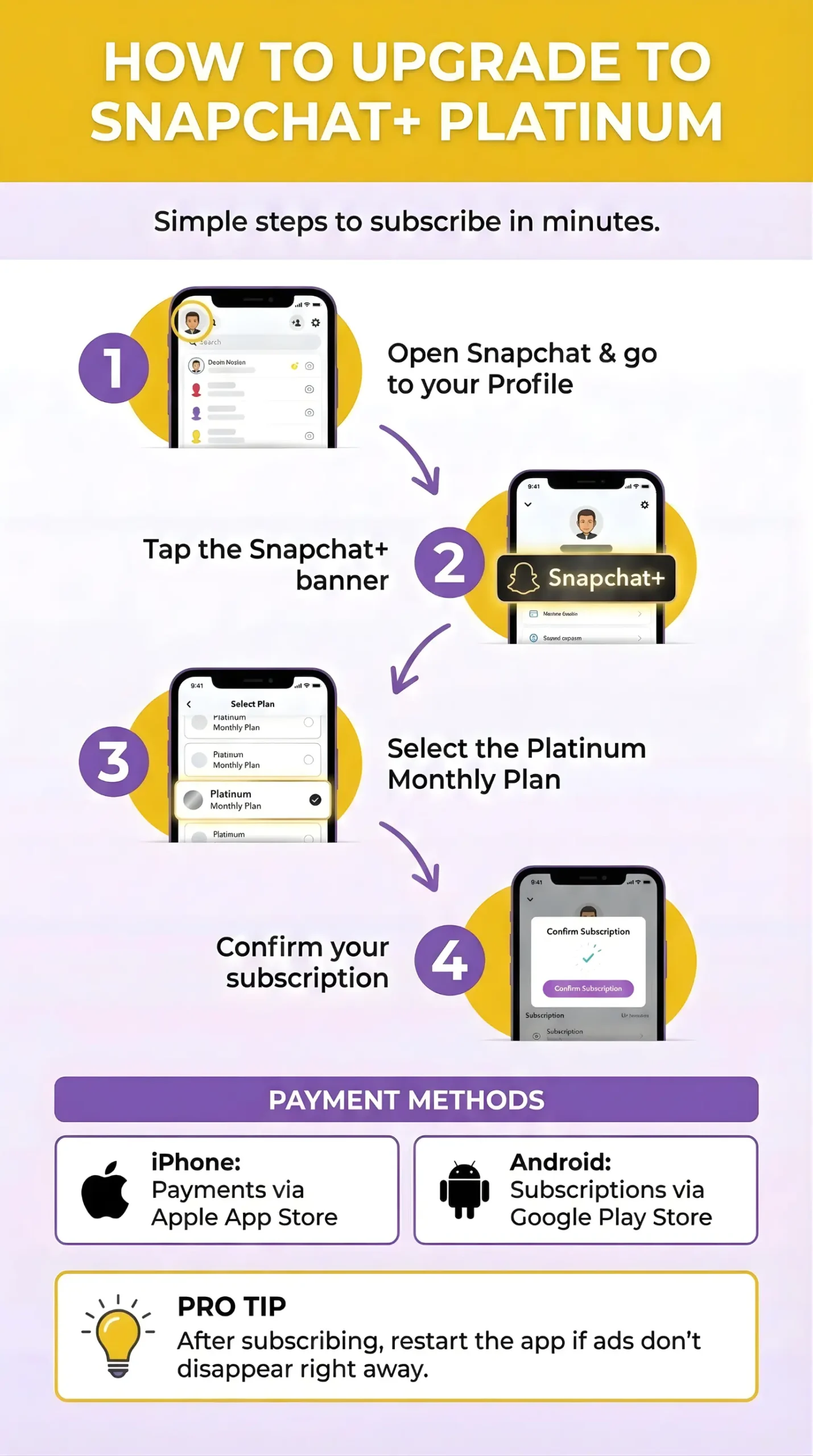
On iPhone, payments go through the Apple App Store. On Android, subscriptions are handled via the Google Play Store. After subscribing, restart the app if ads don’t disappear right away.
Also Read: Snapchat Planets In Order – How Friend Solar System and Snapchat+ Features Work
Can You Reduce Ads Without Snapchat+ Platinum?
If you don’t want to pay for Platinum, you still have limited control.
What You Can Do:
- Adjust ad preferences in Settings
- Hide certain ad categories
- Limit personalized ads
These steps won’t remove ads completely, but they can make them less annoying.
FAQs About Snapchat Plus and Ads
Final Summary
In the end, the answer to Does Snapchat Plus Remove Ads depends on the plan you choose. The standard Snapchat+ subscription still shows ads, while the Snapchat+ Platinum Monthly Plan removes Sponsored Snaps and ads from Stories and Lenses. Some ads may still appear in sponsored areas and My AI, but the overall experience is far cleaner.
Along with reduced ads, Platinum offers premium features, advanced AI tools, and extra storage. If ads interrupt your daily Snapchat use, Platinum can be a smart upgrade. For casual users, sticking with the free or standard plan may be enough.