
Snapchat Streaks Explained – How They Work and How to Restore a Lost Streak
Snapchat Streaks are a fun way to track daily interactions with friends through photo or video snaps. A streak begins after three consecutive days of snapping and continues as long as both friends exchange snaps within 24 hours. Fire and hourglass emojis help track streaks and prevent expiration.
Missed a day? You can restore lost streaks via the in-app restore button or Snapchat Support, with free and paid options, including Snapchat+ benefits. Learn how to start, maintain, and protect streaks, boost your Snap Score, and never lose a streak again with simple tips and reminders.
What Is a Snapchat Streak?
Simply put, a Snapchat streak starts when you and a friend send snaps to each other for three consecutive days. Remember, only photos or videos count. Regular chats or memories will not help.
Once the streak starts, the number of days you have kept it going shows up next to their name. The key is consistency: both of you need to exchange snaps within a 24-hour window.
Why Snapchat Streaks Matter
Streaks are more than just numbers; they are part of the Snapchat gamified system. Your streaks contribute to your Snap Score, which increases every time you send or receive snaps.
Beyond that, they are a fun way to stay in touch. Maintaining a streak can strengthen friendships and even spark friendly competitions with your closest contacts.
How to Start a Snapchat Streak
Starting a Snapchat streak is simple, but you need to follow a few rules to make it last. First, both you and your friend must send snaps to each other every 24 hours. Text chats or group snaps will not count. Avoid using Memories; only fresh snaps taken with the camera count.
Stick to the 24-hour rule, and after three consecutive days, your streak officially begins. You will see the streak number next to your friend’s name, showing how long you have been snapping back and forth. Consistency is the key!
Understanding Streak Emojis
Snapchat uses a few emojis to signal streak activity:
- Fire Emoji 🔥: Indicates an active streak. The number next to it shows how many days it’s lasted.
- Hourglass Emoji ⌛: Warning! Your streak is about to expire. Time is running out to send that snap.
Fun fact: you can actually customize your streak emoji in settings. Pick one that best represents your connection with a friend; it is a small personal touch that keeps things fun.
How to View Your Snap Streaks
Checking your Snapchat streaks is easy. Open your chat list and look next to your friend’s name; you will see a number with a fire emoji. That number shows how many consecutive days you have maintained the streak.
This simple view helps you track your longest streaks, stay motivated, and keep the challenge alive.

How to Restore a Lost Snapchat Streak
Life happens, and sometimes streaks break. Snapchat has your back:
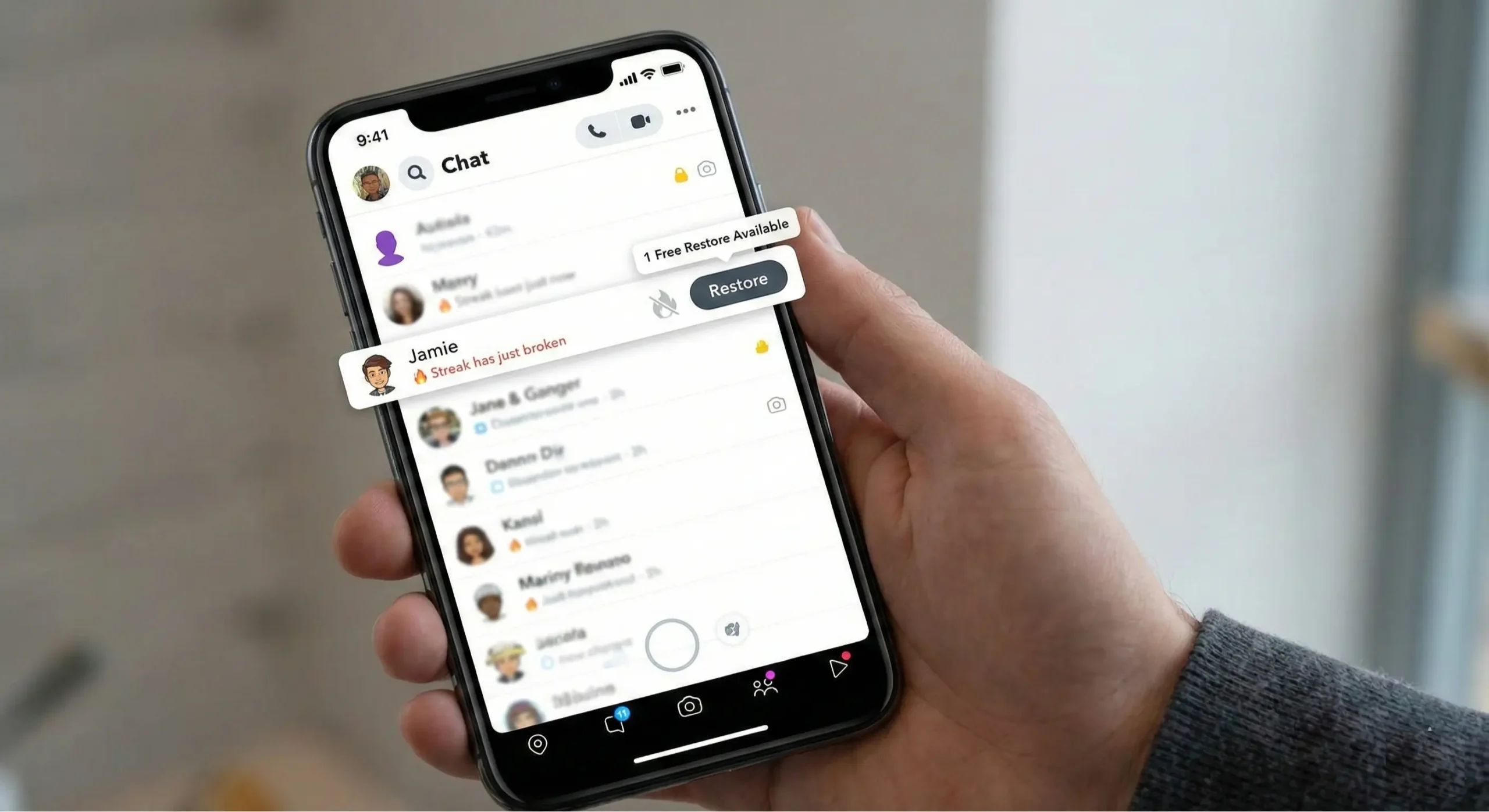
Using the In-App Restore Feature
- Open your chat feed and look for a restore button (fire icon) next to the broken streak.
- Follow the instructions. Free users get one restore, while Snapchat+ subscribers get five per month.
- After your quota, additional restores may require a small in-app purchase.
If the Restore Button Is Missing
- Submit a request through Snapchat Support.
- You’ll need your username, your friend’s username, the date your streak disappeared, and how long it lasted.
- Snapchat reviews requests, especially for streaks lost due to technical issues.
Restoring Multiple Streaks (iOS Only)
If several streaks ended recently, iOS users might see a Restore All option in-app, making it easier to recover multiple streaks at once.
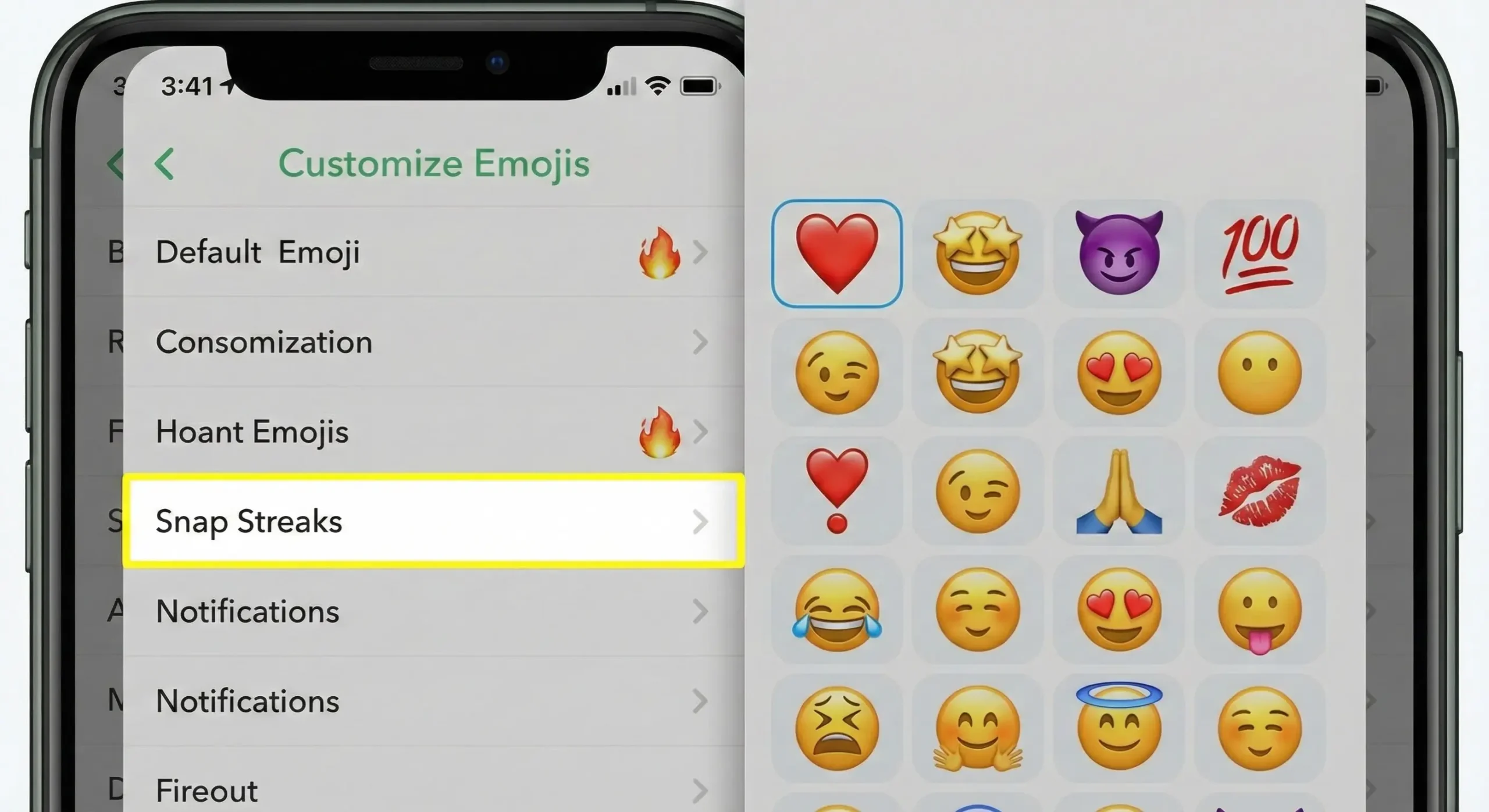
How to Change Streak Emojis on Snapchat?
Snapchat lets you personalize your streaks with custom emojis
- Open your Snapchat profile by tapping your Bitmoji or profile icon.
- Tap the gear icon in the top-right corner to open Settings.
- Scroll down and select Customize Emojis.
- Tap on Snap Streaks.
- Choose an emoji that best represents your connection with your friend.
- Save your selection, and the new emoji will appear next to your streak.
- Personalizing your streak emoji adds a small but fun touch to make streaks more meaningful.
Preventing Streak Breaks
The best way to avoid losing streaks is prevention:
- Set Daily Reminders: Make sure you and your friends exchange snaps consistently.
- Snapchat+ Streak Reminders: Plus users can set hour-before notifications for streaks about to expire.
- Stay Connected: Be proactive with friends during busy periods to avoid last-minute breaks.
Snapchat also plans to introduce a freeze streak feature, allowing users to preserve a streak even if they miss a day, a game-changer for committed streak enthusiasts.
How to Increase Your Snap Score
Want to boost your Snap Score faster? Snapchat streaks are a great way to do it. Send snaps regularly, reply to snaps you receive, and add new friends to increase your daily interactions.
Sharing snaps to your Story also counts toward your score. The more you engage, the higher your Snap Score climbs. Streaks act as a double win; they keep your connections alive while giving your score a steady boost.
Snap Score vs Streaks
Your streaks and Snap Score are related but not the same:
- Snap Score: Counts all snaps sent and received.
- Streaks: Focused on consecutive daily snaps with specific friends.
Keeping streaks alive is a fun way to boost your score faster while maintaining those digital connections.
Frequently Asked Questions
Final Words
Snapchat streaks are not just numbers; they are a fun way to stay connected and show commitment to your friends. By sending daily photo or video snaps, you can build long-lasting streaks while boosting your Snap Score. Remember to watch the fire and hourglass emojis, avoid group snaps or memories, and use reminders to prevent breaks.
If a streak ever disappears, the Snapchat restore feature or Support can help you recover it. With simple tips, consistent effort, and the right tools, you can enjoy the challenge, maintain your streaks, and make your daily Snapchat experience even more rewarding.