What does Purple Circle mean on Snapchat? Color Meanings Explained
Wondering what the purple circle mean on Snapchat? The purple ring is a Snapchat story indicator that shows a new, unviewed Story is available. In this article, you’ll learn what the purple circle around a Bitmoji means, what a purple circle with a lock means on Snapchat, and why the ring sometimes stays visible after viewing a Story.
We also explain Snapchat’s color system, including purple, blue, red, grey, and green indicators, along with private stories, public stories, Quick Add, Added Me, Story viewer privacy, and common myths. By the end, you’ll understand every Snapchat story symbol with confidence.
What Does the Purple Circle Mean on Snapchat?
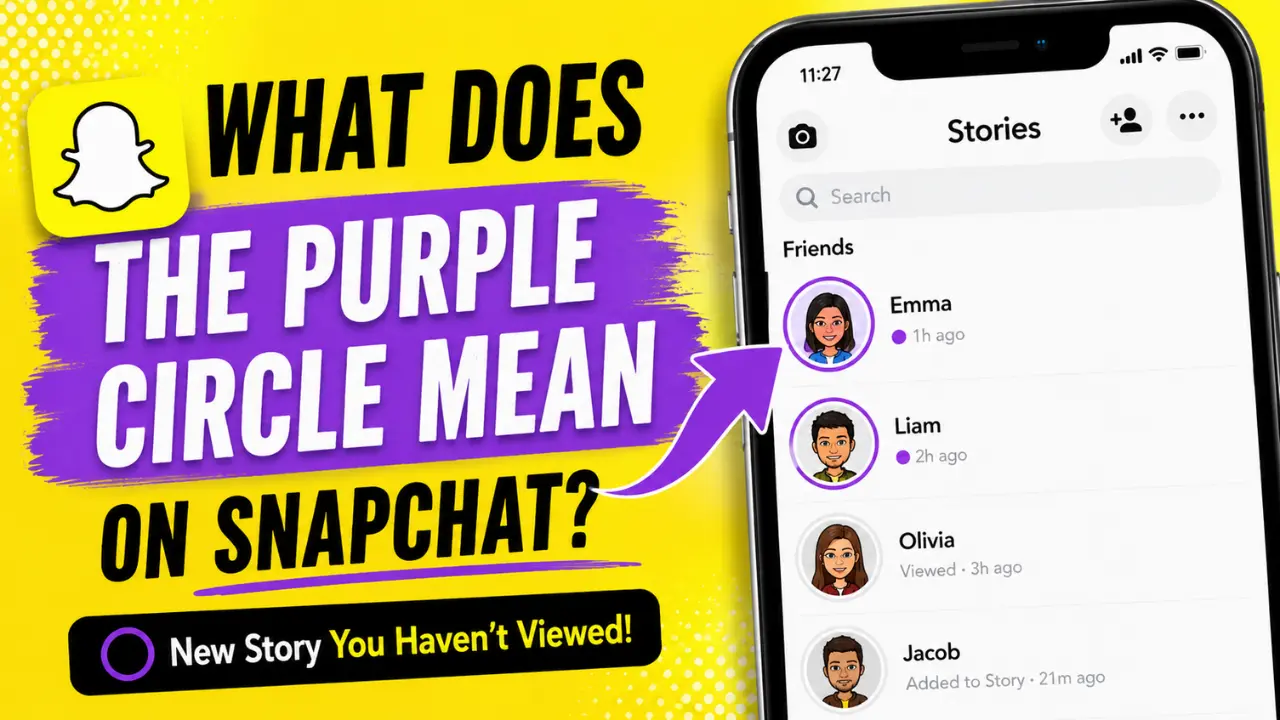
The purple circle on Snapchat indicates an unviewed Story. When you see a purple ring around a friend’s profile picture or Bitmoji, Snapchat is letting you know that:
- A new Story has been posted
- You haven’t watched it yet
- The content contains photos or videos shared through Stories
- Tapping the profile will open the Story
In most cases, the meaning stays the same across the app. Whether you see it in:
- Stories
- Quick Add
- Added Me
- Public Profiles
- Creator Accounts
The purple circle usually points to new Story content.
What Is the Purple Circle on Snapchat?
The purple circle on Snapchat is part of Snapchat color coded interface. Instead of using text labels everywhere, Snapchat relies on colors to help users quickly understand what is happening inside the app. Purple is strongly connected to Stories and Snap content.
When Snapchat wants to show that someone has shared new visual content, it highlights their profile with a purple ring. Think of it as Snapchat’s version of a “new content available” badge.
Snapchat Purple Circle Meaning on Stories
The most common place you’ll see the purple circle is in the Stories section.
When a friend posts a Story:
- Snapchat adds a purple ring around its profile.
- The ring remains visible until you view the Story.
- After viewing, the indicator changes or disappears.
What the Purple Story Indicator Means
The purple Story indicator tells you:
- New Story available
- The story has not been viewed
- Content was recently posted
It does not mean:
- New chat message
- Screenshot activity
- Friend request
- Online status
- Typing indicator
Many users confuse Snapchat Story icons with chat notifications, but they are completely separate systems.
What Does the Purple Circle Around a Bitmoji Mean?
The purple circle around Bitmoji follows the same logic. When Snapchat places a purple ring around someone’s Bitmoji, it means that person currently has a Story available for you to watch.
You’ll often notice this in:
- Stories feed
- Friend profiles
- Creator profiles
- Suggested users
- Public accounts
The purple border is simply drawing attention to fresh content.
Does It Mean They’re Online?
- No. One of the biggest misconceptions is that the purple ring shows someone is active.
- It doesn’t. Snapchat uses other indicators for activity status. The purple circle only relates to Stories.
What Does the Purple Circle With a Lock Mean on Snapchat?
Sometimes you’ll notice a purple circle with a lock on Snapchat. This has a slightly different meaning.
Purple Circle With Lock = Private Story
- The lock icon tells you that the Story is private.
- A Private Story is only shared with selected people chosen by the creator.
- If you can see the lock icon, it means you’ve been included in that audience.
Regular Story vs Private Story
| Story Type | Indicator | Who Can View |
|---|---|---|
| Public Story | Purple circle | Friends or followers |
| Private Story | Purple circle with lock | Selected viewers only |
The lock doesn’t change the Story itself. It simply shows that access is limited.
How Snapchat Private Stories Work
Private Stories give users more control over who sees their content.
For example:
A college student might share:
- Family updates
- Weekend plans
- Personal photos
- Close friend moments
without showing them to everyone on their friends list.
To create a Private Story:
- Open your profile.
- Tap New Story.
- Select Private Story.
- Choose viewers.
- Post normally.
Only approved viewers can see the Story and its purple lock icon.
What Does the Purple Circle Mean in Quick Add?
Many users notice the purple ring inside Quick Add and wonder if it means something different. It doesn’t.
In Quick Add, the purple circle usually means:
- The user has a public Story available
- Snapchat is encouraging discovery
- You may be able to view their content
Tapping the profile may:
- Open the Story
- Open the profile page
- Show public content
Depending on privacy settings. Importantly, Snapchat does not notify the person when you simply tap their profile.
What Does the Purple Circle Mean on the Added Me Screen?
The same Story logic applies here. When someone appears in your Added Me section with a purple ring:
- They recently added you or interacted with your profile
- They also have an active Story available
The purple indicator is related to Story visibility, not the friend request itself.
Snapchat Story Colors Explained
Understanding Snapchat story colors makes the app much easier to navigate.
Here’s a simple breakdown.
Purple Circle Snapchat Meaning
- New Story available
- Story not viewed yet
Grey Circle Snapchat Meaning
- Story already viewed
- Story expired
- No new content available
Blue Circle Snapchat Meaning
Blue usually appears in chat-related areas of Snapchat. Depending on where you see it, it may indicate:
- Chat interactions
- Story access through chat
- Friend-related activity
The blue indicator belongs to a different section of Snapchat’s interface than Story browsing.
Snapchat Color System Explained
The Snapchat color system helps users identify content without reading labels.
Purple
Associated with:
- Stories
- Snap content
- Unviewed Story updates
Blue
Associated with:
- Chats
- Conversations
- Messaging activity
Grey
Associated with:
- Viewed content
- Expired Stories
- Inactive indicators
This design keeps Snapchat fast and easy to scan.
Why Does the Purple Circle Stay After Watching a Story?
Sometimes users watch a Story but still see the purple ring. This is usually caused by one of four reasons.
1. New Story Was Added
- The creator posted another Snap after you viewed the original Story.
- Snapchat treats it as fresh content.
2. App Cache Issues
Cached data can prevent the Story status from updating correctly.
3. Sync Delays
Slow internet connections sometimes delay Story updates.
4. Outdated Snapchat Version
Older app versions occasionally display Story indicators incorrectly.
How to Fix It
Try:
- Closing and reopening Snapchat
- Clearing app cache
- Updating Snapchat
- Checking your internet connection
Most issues resolve quickly.
Common Myths About the Purple Circle
There are several misconceptions about Snapchat visual indicators.
Myth: The Purple Circle Means Someone Viewed My Profile
False.
Snapchat does not use purple rings for profile views.
Myth: The Purple Circle Means Someone Is Online
False.
Story indicators and online status indicators are separate.
Myth: The Purple Circle Means Someone Added Me
False.
Friend requests have their own notifications.
Myth: Purple Rings Track Interest
False.
Viewing a Story does not signal special interest to Snapchat.
Snapchat Symbols Meaning: Quick Reference
Here is a fast overview of the most common Snapchat symbols.
| Symbol | Meaning |
|---|---|
| Purple circle | Unviewed Story |
| Purple circle with lock | Private Story |
| Grey circle | Viewed or expired Story |
| Blue circle | Chat-related activity |
| Green activity indicator | Recent activity status |
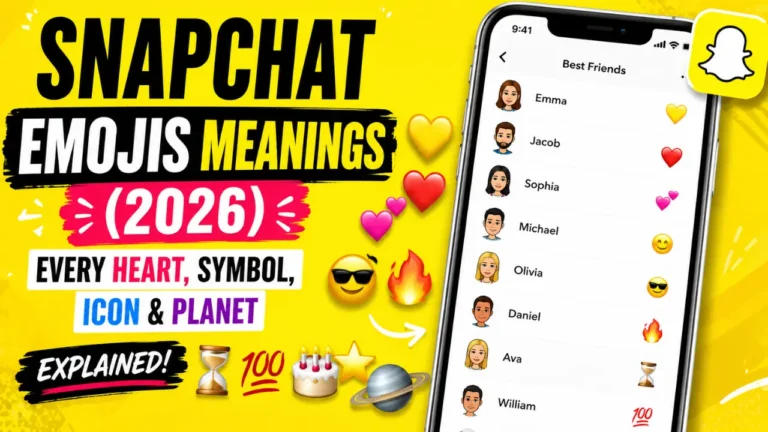
| Fire emoji | Snapstreak |
| Gold star | Replay or highlight the interaction |
Understanding these symbols helps you navigate Snapchat more confidently.
Snapchat Visual Indicators You Should Know
Snapchat relies heavily on visual cues.
Important indicators include:
- Story rings
- Chat icons
- Snap colors
- Bitmoji badges
- Snapstreak emojis
- Friend status indicators
- Activity indicators
The purple Story ring remains one of the most frequently searched symbols because it appears throughout the app.
Why Snapchat Uses Story Indicators
From a user experience perspective, Story indicators serve three important purposes:
Faster Navigation
Users instantly know what content is new.
Better Engagement
Stories become easier to discover.
Less Screen Clutter
- Colors communicate information without extra text.
- This is why Snapchat continues expanding its visual-first design approach.
Android vs iPhone: Does the Purple Circle Mean the Same Thing?
Yes. Whether you’re using:
- iPhone
- Android
- Samsung Galaxy
- Google Pixel
The purple circle’s meaning remains the same. The appearance may vary slightly depending on your device and app version, but the purpose does not change. A purple Story ring still means new Story content is available.
FAQs
What does the purple mean on Snapchat?
Purple usually represents Story content. A purple circle means there is a Story you haven’t viewed yet.
Is a purple ring Snapchat indicator always related to Stories?
Yes. The purple ring Snapchat indicator is tied to Story content.
What does the purple circle around a Bitmoji mean?
It means that the user has a Story available for viewing.
What does the purple circle with a lock on Snapchat mean?
It indicates a Private Story shared only with selected viewers.
What does the grey circle Snapchat meaning refer to?
A grey circle typically means the Story has already been viewed or has expired.
What is the blue circle Snapchat meaning?
Blue indicators are generally associated with chats and conversation-related activity.
Can I remove the purple circle?
No. The indicator disappears automatically after the Story is viewed or expires.
Does Snapchat notify someone when I view their Story?
The creator can see Story views in their viewer list, but Snapchat does not send a special notification because you tapped a purple circle.
Can strangers see my private Story?
No. Only people you specifically choose can access a Private Story.
Why does the purple ring keep coming back?
Usually, because the creator posted new Story content after you viewed the previous Story.
Final Thoughts
If you’ve been asking what does the purple circle mean on Snapchat, the answer is straightforward: it signals a new Story that you haven’t watched yet.
Whether you see a purple ring around a Bitmoji, inside Quick Add, on a public profile, or next to a friend’s Story, Snapchat is simply telling you that fresh content is available.
If there’s a lock icon, it’s a Private Story. If the circle turns grey, you’ve already seen it or the Story has expired.
Once you understand Snapchat’s color system and Story indicators, navigating the app becomes much easier and far less confusing.